

Why Your Invoice Matters More Than You Think
If you are a freelancer, small business owner, or creative professional, your invoice is not just a piece of paper. It is your payment handshake. A well-designed, professional invoice helps you get paid faster, builds trust with clients, and makes your business look credible and organized.
Unfortunately, many businesses still send messy or incomplete invoices, leading to delayed payments and confusion. A clear, professional, and branded invoice improves your chances of being paid on time.
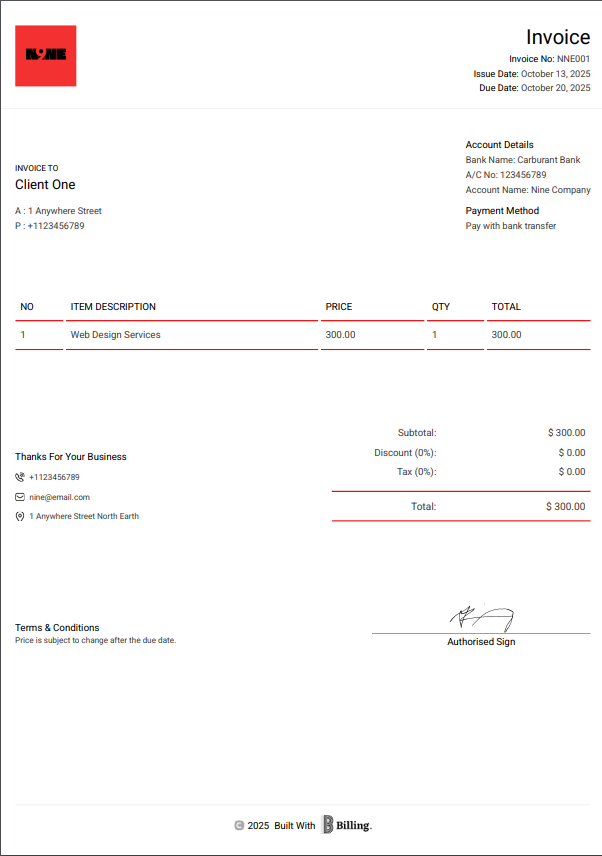
What Makes an Invoice “Professional”?
A professional invoice should do three things:
- Identify your business clearly: Include your logo, business name, and contact information.
- Communicate exactly what is being billed: Avoid vague descriptions.
- Make payment easy: Add currency, payment method, and due dates.
Essential Elements of a Professional Invoice:
- Business name and logo
- Client name and address
- Unique invoice number
- Issue date and due date
- Itemized list of services or products
- Total amount (with tax if applicable)
- Payment instructions or links
Pro tip: Add a short thank-you note at the bottom. Small touches can make your business stand out.
How to Create a Professional Invoice in Minutes (Using Billing)
With Billing, you do not need to design or format anything. Everything is automated. Follow these simple steps:
Step 1: Choose “Create Invoice”
Open your Billing app, select Invoice and tap Create Invoice from the dashboard.
Step 2: Add Your Client
Select an existing client or add a new one instantly.
Step 3: Enter Services or Products
List what you are billing for, including quantity, price, discounts and tax.
Step 4: Review Your Invoice
Preview how it looks. Your logo, colors, layout and signature are automatically applied.
Step 5: Send Instantly
Send via email, WhatsApp, or PDF download in one click. Your client receives a clean, professional invoice ready to pay.
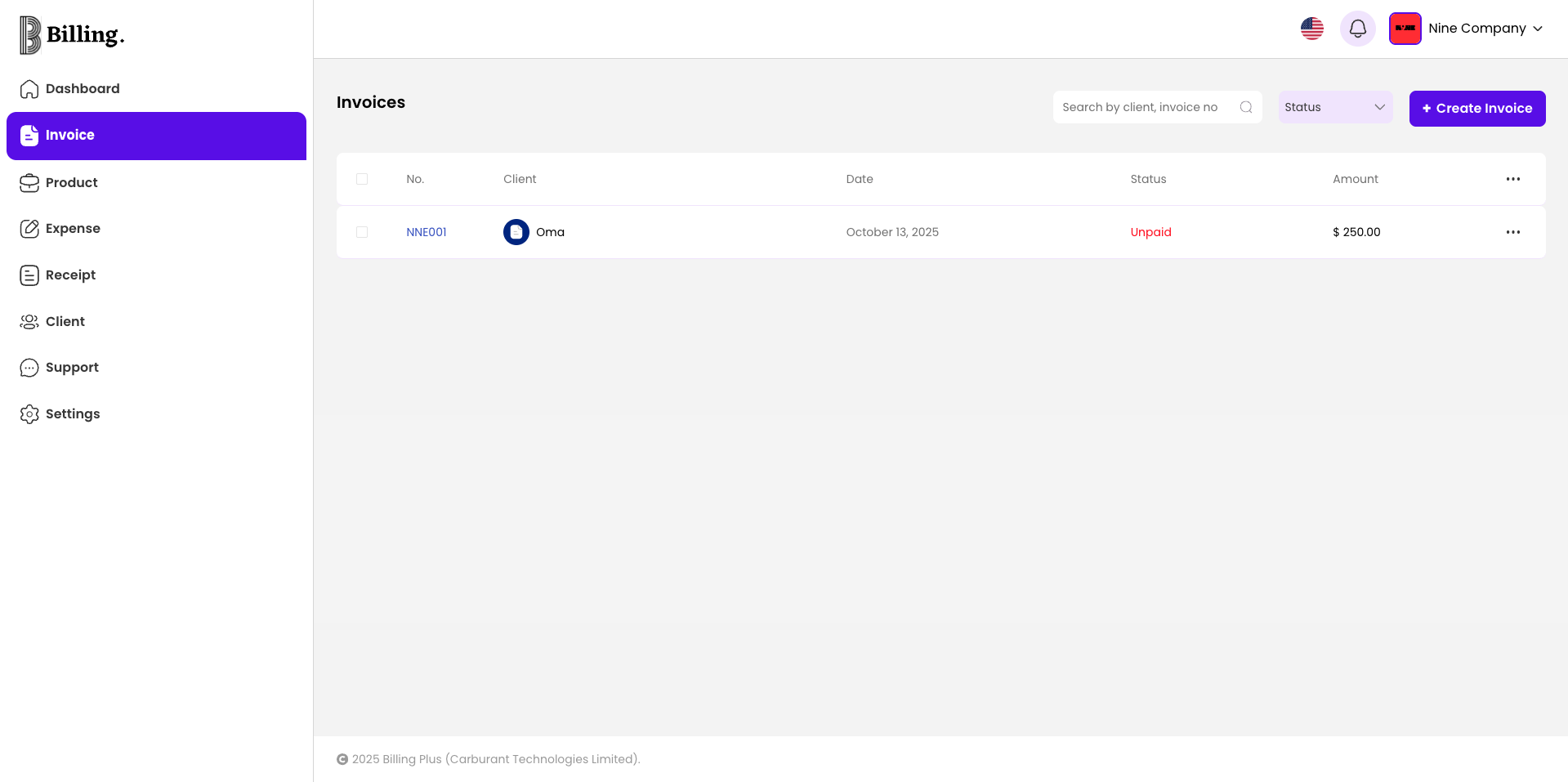
How Billing Helps You Get Paid Faster
- Automatic Reminders: Notify clients before and after due dates.
- Instant Receipts: Generate a receipt in seconds once payment is made.
- Multi-Currency Support: Bill in USD, GBP, NGN, and more.
- Smart Tracking: See which invoices are paid, pending, or overdue.
With these tools, you can maintain professionalism and never chase payments again.
Bonus: Stand Out with Your Brand
Your invoices reflect your brand identity. With Billing, you can customize colors, upload your logo, and even include your digital signature. This helps you create invoices that represent your business professionally.
A polished invoice communicates confidence and reliability. Clients are far more likely to prioritize payment when they receive something that looks official and organized.
Final Thoughts
Creating a professional invoice does not have to be stressful. With Billing, you can design, send, and track invoices in minutes, helping you look more professional and get paid on time, every time.
Ready to simplify your business?
Get Billing today and start sending your first invoice in minutes.