
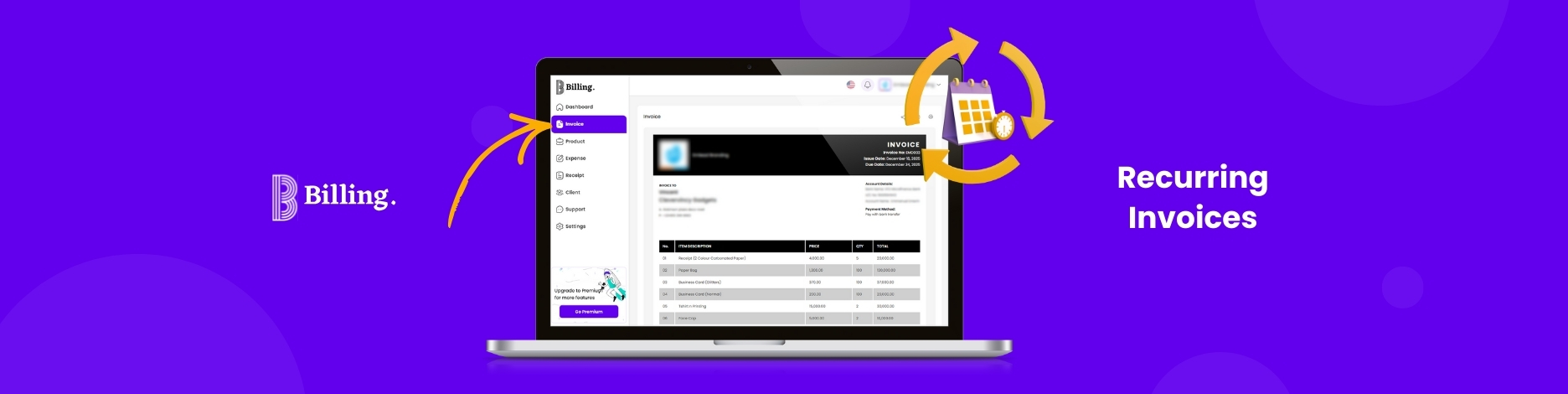
Whether you personally have to create and deliver invoices to customers on a monthly or weekly basis can result in dedicating your time to repetitive tasks. Moreover, there can be chances of missed invoices, billing errors, and delayed payments.
يساعدك إعداد الفواتير المتكررة على أتمتة فواتير الاشتراكات والتوكيلات والخدمات المتكررة الأخرى. إذا تم ذلك بشكل صحيح، فسيساعدك ذلك على توفير الوقت وتحسين دقة فوترة عملائك في الوقت المحدد.
This guide aims to explain what recurring invoices are, when to use them, and how to set them up.
What Are Recurring Invoices?
Recurring Invoices are invoices that are automatically created on a fixed schedule to be sent to clients. Rather than setting up actual billing on each billing period for every client, the system revolves around using preset information for clients, amount, and frequency.
These are only applicable in cases of monthly subscriptions, retainers, membership charges, or any other ongoing services that entail fixed amounts at set times.
How Do Recurring Invoices Work?
Recurring invoices are made up of a combination of three core elements: billing frequency, invoice information, and automation rules.
You decide how often the invoice is to be generated (whether weekly, monthly, quarterly, or annually), what services or goods the invoice relates to, and from when to when the invoice is to be generated. The system automatically generates the invoice once it has been activated.
Payments can also be traced against the generated invoices, giving insights into the cycles that have been paid, the ones that are overdue, or those that are pending.
When Should You Use Recurring Invoices?
Recurring Invoices are especially helpful when there is an expected cycle of billing. Examples of such billing patterns are memberships, consulting engagements, maintenance contracts, or other subscription-based services.
They are not ideal for single projects or billing terms that fluctuate over time. In those instances, the flexibility of manual invoicing will be more beneficial.
What Are the Benefits of Setting Up Recurring Invoices?
- Consistent and Predictable Cash Flow: Recurring invoices ensure that payments are made on a fixed schedule, which helps businesses forecast income accurately and reduce the uncertainty that comes with irregular billing.
- Reduced Administrative Work: After the setup of recurring invoices, there will be no need to duplicate an invoice every cycle, which means that more time will be dedicated to income-earning activities as opposed to repetitive administrative activities.
- More Accurate Billings: Automated recurring invoices avoid the usual errors associated with manual invoicing, such as amount errors, incorrect dates, and errors in client details.
- Enhanced Client Experience: The clients are provided with an invoice at the same time every time, which helps in reducing misunderstandings over payment terms and dates.
- Improved Payment Tracking and Follow-Ups: Invoices and recurring billing reminder solutions track which invoices are paid, which remain overdue, and which have pending payments, thus facilitating follow-up.
Recurring Invoices: Manual vs. Automated Setup
Manual recurring invoicing can be done by duplicating previous invoices and sending them out at periodic intervals. This can be done without issues initially, but the process becomes inefficient as the number of customers increases. Mistakes can also happen. Sometimes the billing intervals can be forgotten, or the invoices can be sent out incorrectly.
Automated recurring billing helps automate tasks such as scheduling and billing through the use of software. Such methods are more scalable and offer clear billing statuses. They also incorporate payment statuses in the billing processes.
How to Set Up Recurring Invoices with Billing
الفواتير offers functionality that helps make it easy for companies dealing with long-term clients to send invoices. Though the process involves certain steps, which are sometimes updated, it follows a definite pattern.
Step 1: Open Your Billing Account
Use your email to sign up and gain instant access to the Billing dashboard for invoicing and payment tracking.
Step 2: Add Your Business and Payment Details
Enter your business name, contact information, and list your preferred ways to be paid. This way, all your invoices will be professional-looking with clear payment instructions.
Step 3: Create or Select a Client Profile
Add the client’s name, the client’s email, billing information, and preferred currency.
Step 4: Create an Invoice Template
Set up the invoice by entering details such as line item, service descriptions, pricing, and payment terms. Using this template, you can use it for every billing cycle.
Step 5: Enable Recurring Invoice Settings
Choose billing frequency. It could be weekly, monthly, quarterly, or custom. Set start date, end date, and due date rules. Automatically schedule invoices with these settings on Billing.
Step 6: Enable Automated Delivery and Reminders
Enable the settings to automatically send invoices and make follow-up calls to the clients, rather than doing it manually.
Step 7: Monitor & Manage Recurring Invoices
Track the status of invoices, including their payment history and overdue accounts, directly from the Billing dashboard for easy adjustment or pausing of recurring invoices as needed.
Common Challenges and How to Solve Them
- Unclear invoice details: Vague descriptions can confuse clients and delay payment. Always include itemized services, dates, and payment deadlines.
- Late payments: Clients may pay after the due date. Set clear due dates, use automated reminders, and apply late fees where appropriate.
- Payment method limitations: Clients may struggle if only one payment option is available. Offer multiple payment methods to make payments easier.
- Incorrect client information: Errors in names, addresses, or emails can prevent invoices from reaching the right person. Verify client details before sending invoices.
- Poor record-keeping: Missing or disorganized invoices can cause tracking and reporting issues. Use a system to store and organize all invoices and receipts consistently.
- Disputes over charges: Clients may question billed amounts. Prevent this by sharing estimates, contracts, or service breakdowns before invoicing.
الخاتمة
Recurring invoices are an important tool for any business reliant on predictable, ongoing payments. You’ll save time and reduce errors while improving cash flow reliability by automating the invoicing process. Whether you’re a freelancer on retainer or a subscription-based business, recurring invoices take a load off when done with a structured system like Billing, so you can focus more on delivering value rather than administrative work.