Selecting the right invoicing system can greatly contribute to the promptness with which your business receives payment. For many small business owners, the difference between simple invoicing systems and accounting systems is a major consideration when determining the right system for their business. Billing is a system that focuses on fast and simple invoicing, while QuickBooks is a system that offers a range of accounting features for business owners.
In this guide, we shall compare Billing and QuickBooks side by side, focusing on the features, pricing, usability, and suitability of the systems for your business.
What Is Billing?
Billing is a lightweight invoicing tool designed for freelancers, small businesses, and entrepreneurs who seek a simple way to send professional invoices. The tool is designed to help users with the most important aspects of billing: invoicing, receipts, client management, expense tracking, and reporting. However, it does not delve deeper into accounting.
With the help of the Billing tool, users can create invoices, send them to clients via email or messaging apps, manage their clients, and track their expenses. The tool is designed for freelancers, small businesses, and entrepreneurs.
The main goal of Billing is simplicity. The tool is designed to help users who are involved in any type of business to send invoices without the need for complex accounting knowledge.
What Is QuickBooks?
QuickBooks is one of the most popular financial management tools used by small to medium-sized businesses. This software has been around for a long time, developed by Intuit. It is popular for providing a comprehensive set of tools to manage financial information.
While the Billing software is mainly focused on providing tools to manage billing-related activities, QuickBooks provides a more comprehensive financial management toolset. With QuickBooks, companies can manage their income and expenses, payroll, banking transactions, financial reports, tax compliance, and overall financial health.
It provides tools to manage billing-related activities such as creating invoices, tracking payments, etc. However, being a comprehensive financial management toolset, it may provide tools that are more than what a small business or a freelancer might need.
Billing vs QuickBooks: Feature Comparison
The table below shows how these two platforms compare with the tools and features businesses and freelancers view as important and useful:
| Feature | Faturação | QuickBooks |
| Invoice Creation | Basic invoice generator with customizable invoice templates and colors. | Advanced invoice tools as part of a complete accounting solution. |
| Payment Collection | Process payments with integrated payment links. | Process payments with QuickBooks and other integrated gateways. |
| Facturas recorrentes | Recurring invoices for repeat customers are available in premium plans. | This feature is available in higher plans. |
| Expense Tracking | Tracks expenses and business spending. | Advanced expense tracking with automatic bank feeds. |
| Reporting | Basic reports, billing dashboard, and insights. | Comprehensive financial reports, such as profit/loss statements and balance sheets. |
| Integrations | It was created as a stand-alone invoicing app. | It integrates with many third-party apps. |
| Mobile Access | It is mobile and web-based. | It is mobile and web-based. |
| Suporte ao Cliente | Direct platform support. | The support you get depends on your subscription plan. |
| Ease of Use | Has a simpler interface for invoicing tasks. | Has a complex interface because of accounting features. |
In summary, Billing is specifically focused on expert invoicing, while QuickBooks has a comprehensive financial management system that includes invoicing as one of its features.
Pricing Comparison
One area where Billing and QuickBooks differ is in their pricing. Billing focuses on easy and affordable invoicing, while QuickBooks’ pricing is based on the idea that it is a full accounting system that includes many other features.
Billing Pricing
Billing offers a simple and understandable pricing plan that is specifically designed for freelancers and small businesses.
Free Plan ($0/Forever)
- One business profile
- Unlimited invoices
- Unlimited receipts
- Unlimited products or services
- Unlimited expense tracking
- Business analytics
Premium ($10/month)
- All features in the Free plan
- Unlimited businesses
- Invoice template selection
- Customizable template colors
- White-label invoices
- Faturas recorrentes
- Payment links
Premium Plus ($115/year)
- All Premium features at a discounted annual price
- Priority support
- Early access to new features
This pricing plan ensures that Billing remains an affordable option for businesses that require invoicing but do not require comprehensive accounting software.
QuickBooks Pricing
QuickBooks offers different subscription plans to ensure you have all the accounting features you need, from tax preparation to bank reconciliation, payroll, and financial reporting.
The different plans that QuickBooks offers for its online version include:
- Simple Start: $24/month
- Essentials: $35/month
- Plus: $51/month
- Advanced: $85/month
As you go up the different plans, more features will be added to your QuickBooks account.
Quick TakeAway
In teams where the main requirement is invoicing, Billing is a much cheaper alternative with a simpler value proposition to offer. QuickBooks may have a broader range of accounting functions to offer, but most freelancers and small businesses are left paying for features they hardly use.
Where Billing Has the Edge
Although both programs have invoicing features, Billing offers advantages that make it more suitable for freelancers and businesses that want a simple billing solution instead of accounting.
1. Simpler and Faster to Use
Billing was created to provide invoicing functionality, making it easy to use. Creating invoices can be done in just a few clicks without having to go through all the settings of accounting features.
2. Lower Cost for Small Businesses
Billing offers a free account that includes unlimited invoices, receipts, products, and expenses. This makes it more affordable for businesses and freelancers.
3. Tailored Specifically for Invoicing
Billing focuses more on billing workflows, such as:
- Creating professional invoices
- Sending instant receipts
- Handling client lists
- Recording expenses
- Creating billing reports
Being so specialized means that companies that only require invoicing solutions won’t have to pay for accounting software they don’t need.
4. Faster Payment Processing
Using Billing, you can easily convert invoices into payment-ready links that your clients can use to send payments directly to you from the comfort of your online platform.
5. Designed for Freelancers and Small Businesses Globally
Billing comes with support for multiple currencies and languages, making it easy to send invoices to clients all around the world without having to use any extra software.
Which Tool Is Right for Your Business?
Whether you choose Billing or QuickBooks depends on the size of the business and the complexity of financial management. Both applications allow users to generate invoices.
Solo Freelancers
Most freelancers require an efficient solution to create professional invoices and receive payments without struggling with complex accounting software. In such cases, Billing is likely to be the winner, which emphasizes creating invoices, sending recurring invoices, creating payment links, and simple reporting without the need for accounting knowledge.
Service-Based Small Businesses
Most service-based businesses, such as consulting, agencies, and services that charge clients regularly, require an invoicing application. Billing allows such businesses to create invoices quickly, customize templates, and send recurring invoices to frequent clients.
Product-Based Businesses
Businesses that deal with physical products require inventory management, purchase orders, and complex financial reporting. In such cases, QuickBooks is likely to be the best option because it provides comprehensive accounting functionality that handles inventory and financial management.
Growing Businesses with Accounting Requirements
If a business deals with payroll, taxes, bank reconciliation, and complex financial reporting, QuickBooks is likely to be the better option. QuickBooks provides a comprehensive accounting solution that handles complex financial tasks.
In summary, Billing is best for businesses that require invoicing software, while QuickBooks is best for businesses that require comprehensive accounting software.
What Users Are Saying
User feedback provides insights into how these tools perform in real-world business environments. While both Billing and QuickBooks gain significant interest from freelancers and small businesses, user feedback reveals different strengths of each tool.
Billing: User Feedback
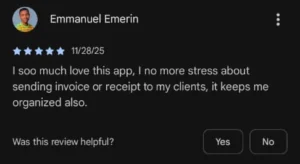
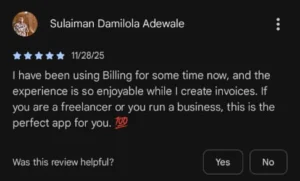
Freeloading users of Billing claim that simplicity and speed are the core strengths of Billing. This is due to the fact that the tool is designed to be quick in terms of invoicing and receipt generation.
The users of the tool also claim that it focuses solely on billing, as opposed to full-scale accounting. This is beneficial to freelancers and small businesses, as they can manage their invoices, receipts, and expenses from a single dashboard.
QuickBooks: User Feedback
QuickBooks has gained significant popularity in the industry, with users appreciating the tool’s accounting capabilities. Small businesses that require detailed financial reports, tax preparation tools, and bank integrations can rely on QuickBooks.
However, some small businesses claim that the tool is too complex for simple invoicing, especially for freelancers or businesses that require only billing tools.

How Billing Makes Invoicing Simple
Billing was designed with a smooth invoicing experience in mind for freelancers and small businesses who don’t necessarily need heavy-duty accounting tools. It allows users to create professional invoices, manage clients, and track their invoices in one single place.
Users can customize their invoices, change colors to their brand’s identity, and even send their invoices directly to their clients using Billing. It also allows users to create recurring invoices, which is great for businesses that have to bill their clients repeatedly.
Billing also allows clients to pay using payment links, which can be sent with invoices. This, in turn, with expense tracking and reporting, helps maintain a clean billing system while keeping the overall invoicing process streamlined.
Ready to take control of your invoicing? Sign up for free today and get started with Billing in minutes.
Perguntas frequentes
1. Is Billing cheaper than QuickBooks?
Yes. Billing offers a cheaper option, including a free option and cheaper premium options, while QuickBooks offers a higher monthly subscription to begin with because it includes all accounting features.
2. Which invoicing tool is easier for small business owners to use?
Billing is easier for most small business owners, as it focuses on invoicing and provides a clean, streamlined interface, while QuickBooks can be more complicated due to all the accounting features.
3. Are there limits on the number of invoices I can send with Billing vs QuickBooks?
With Billing, you can send an unlimited number of invoices, even in the free version.
Similarly, QuickBooks doesn’t impose strict limits on invoicing. But unlimited invoicing is available in their paid versions.
Considerações finais
For small businesses and freelancers whose business revolves around invoicing, Billing is a quicker, easier, and more cost-effective alternative to QuickBooks. Billing’s clean interface, customizable templates, recurring invoices, and payment links make sending and managing invoices easy.
QuickBooks is still a great option for those who require the full accounting solution, payroll, and financial analysis. However, for those who do not need the whole accounting solution, Billing offers all the essential invoicing functionality without the added complexity and expense.
Overall, Billing is the better choice for businesses that want professional and efficient invoicing solutions without having to shell out for functionality they do not need.