
Bure Ankara: Programu ya Wafanyakazi Huru & Ndogo Biashara.
Dhibiti biashara yako kama mtaalamu, ukiwa na ankara, utoaji wa risiti, na ufuatiliaji wa gharama katika programu moja rahisi. Billing Plus hutoa zana zote za usimamizi wa biashara unazohitaji ili kuanzisha, kupanga, kukuza, kusimamia, na kupanua biashara yako.
Mpango wa Milele Bila Malipo. Hakuna kadi ya mkopo inayohitajika kuanza.



Sawa, hebu tuone Bili katika
Nambari
Vipengele katika yetu Mfuko wa Nzuri?
Tunatoa suluhisho la vitendo na rahisi kutumia kwa mahitaji yako ya ankara na risiti.

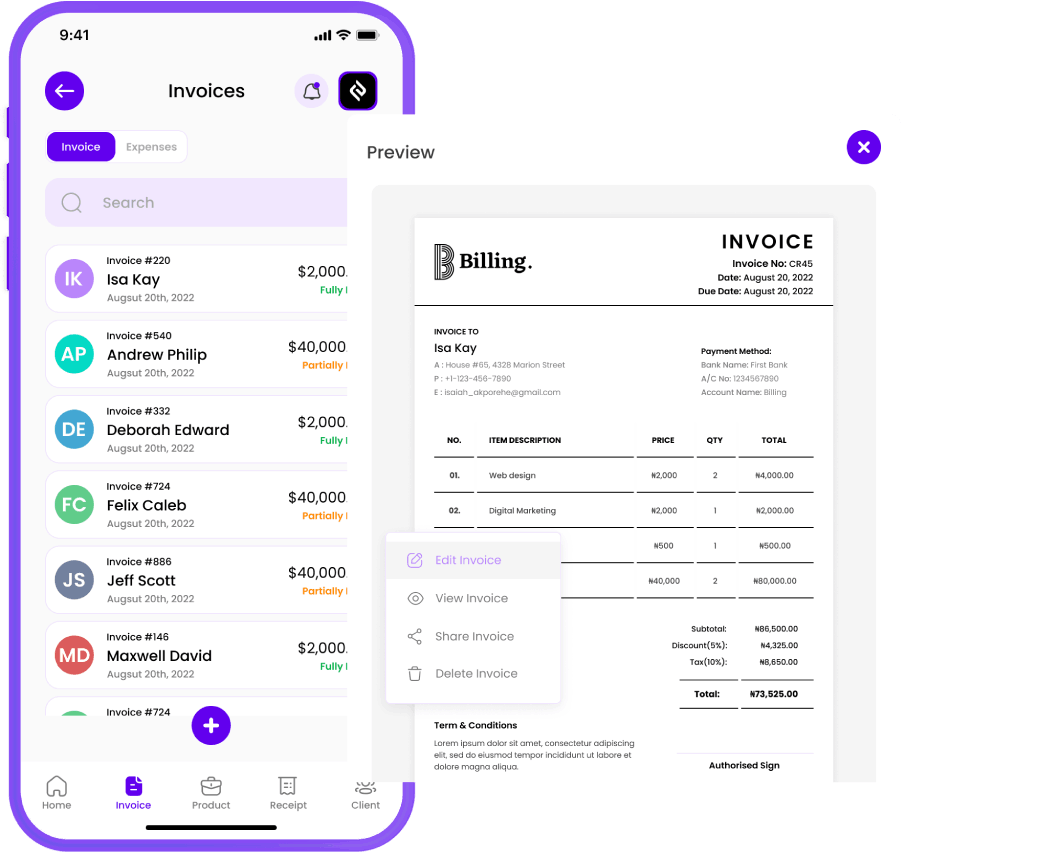
Unda Ankara
Haraka sana
uundaji wa ankara
Tengeneza ankara za kitaalamu kwa mibofyo michache tu. Zibadilishe ili zijumuishe chapa yako, ongeza vitu vya mstari, na uhesabu kodi kiotomatiki. Tuma ankara kupitia barua pepe, ujumbe mfupi, au WhatsApp kwa wateja mara moja! Weka ankara zinazojirudia kwa wateja wako wa kawaida.

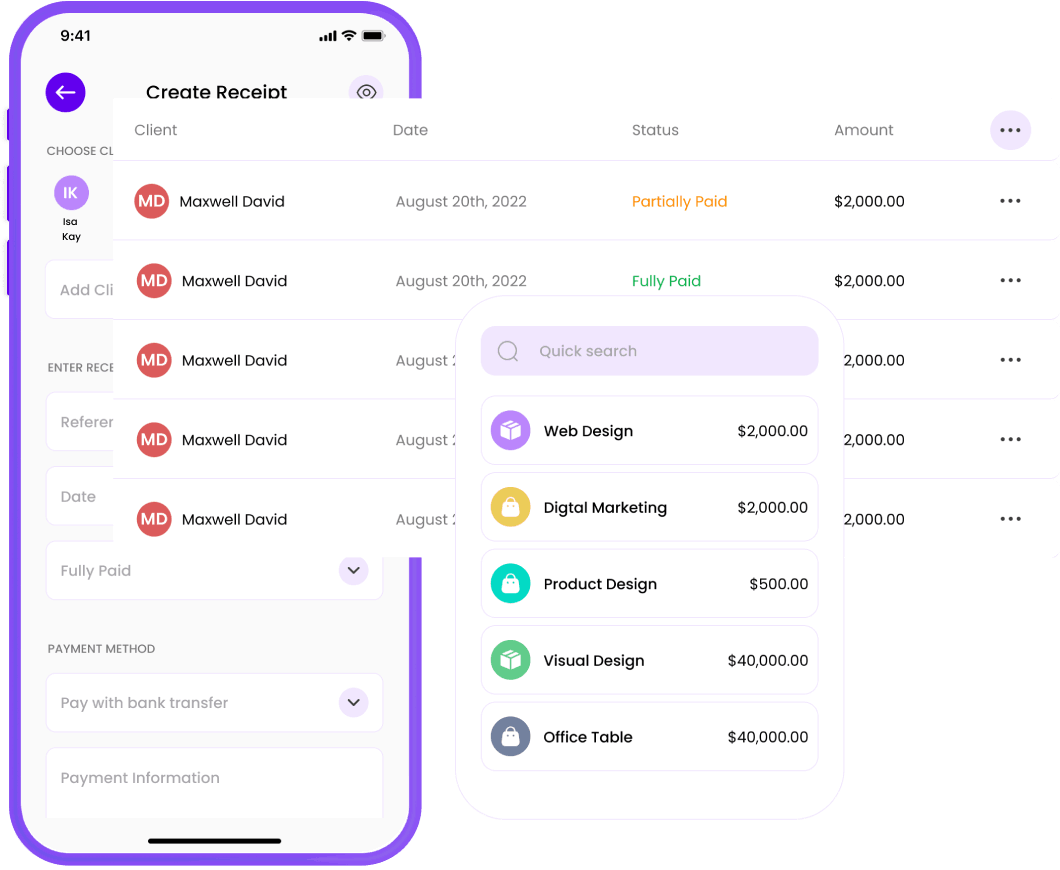
Risiti ya Toleo
Bila usumbufu
uzalishaji wa risiti
Unda na utume risiti kwa urahisi! Badilisha ankara kuwa risiti kwa sekunde, au tengeneza mpya popote ulipo. Sema kwaheri kwa msongamano wa karatasi na salamu kwa mpangilio mzuri: barua pepe, ujumbe mfupi, au WhatsApp risiti zako kwa wateja mara moja!

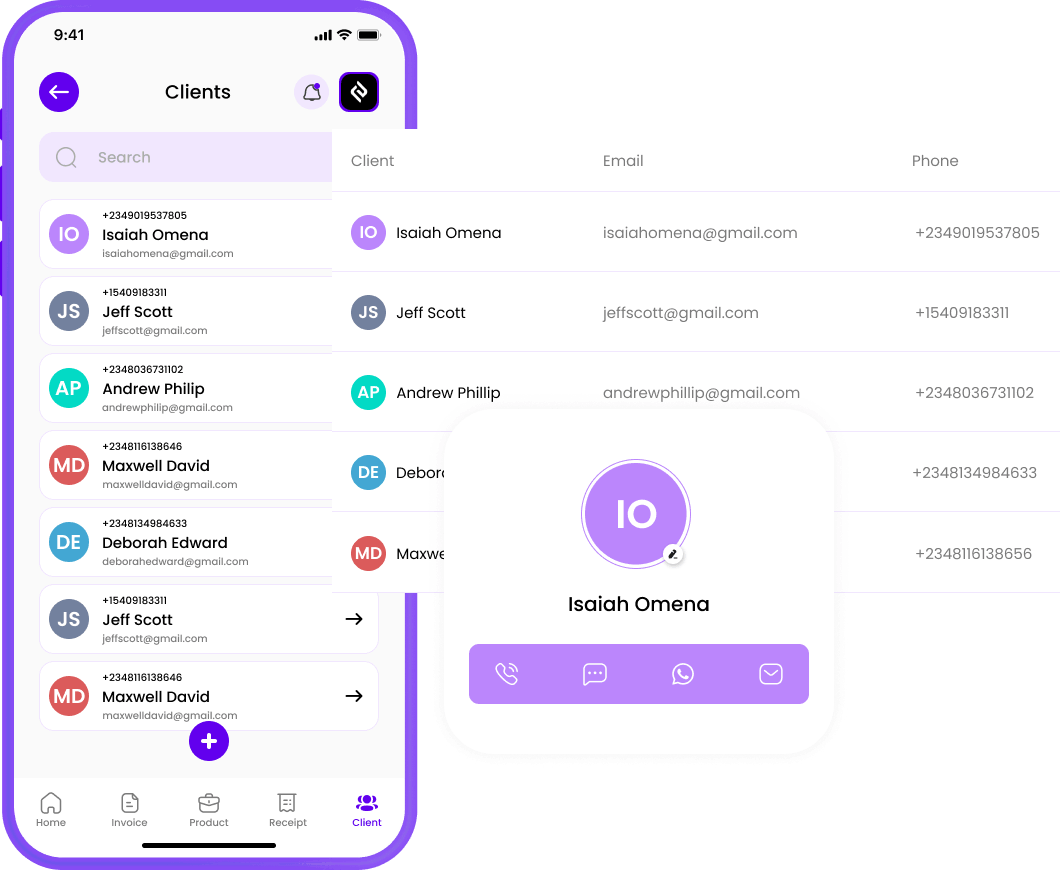
Dhibiti Wateja
Bila mshono
huduma kwa wateja
Dumisha orodha ya wateja wako na taarifa zao za mawasiliano. Hii hurahisisha kuchagua wapokeaji unapotengeneza ankara, kutoa risiti, na kukusaidia kufuatilia uhusiano wa wateja wako.

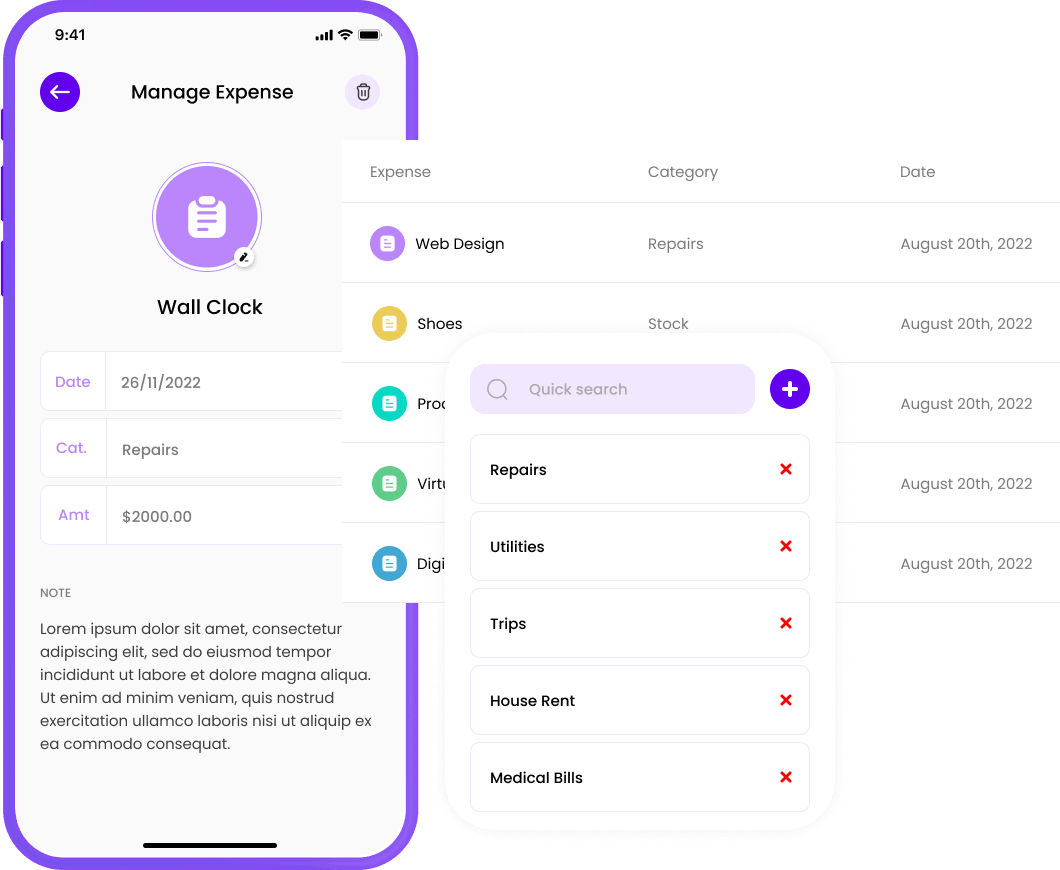
Fuatilia Gharama
Biashara ya mwisho
ufahamu wa gharama
Track, manage, and conquer your business expenses! Effortlessly log expenses, stay organized, and never lose a receipt again. Rahisisha yako financial life and focus on what really matters—growing yako business!

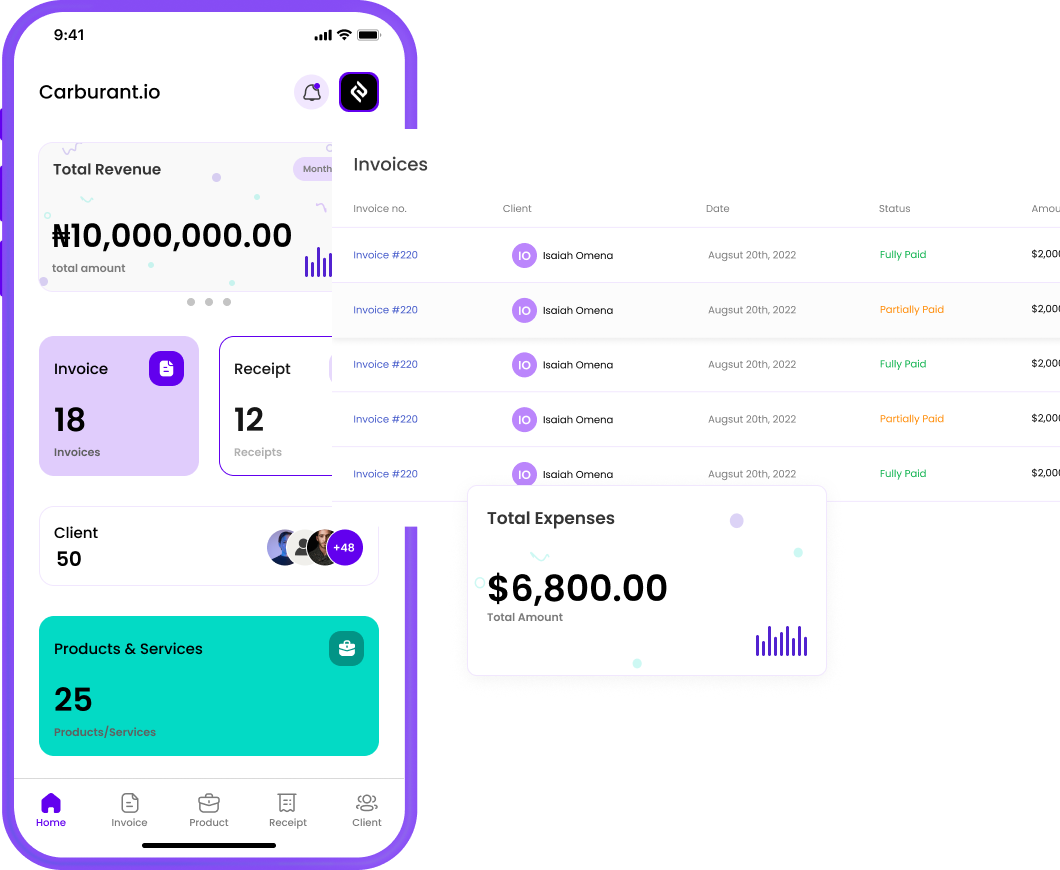
Tengeneza Ripoti
Ripoti ya Kina
kwa ajili ya Uhasibu na Ukaguzi
Endelea kujua kuhusu afya ya kifedha ya biashara yako kwa kutumia zana zetu za kuripoti. Tazama muhtasari wa mapato, ripoti za gharama, na zaidi ili kufanya maamuzi sahihi.

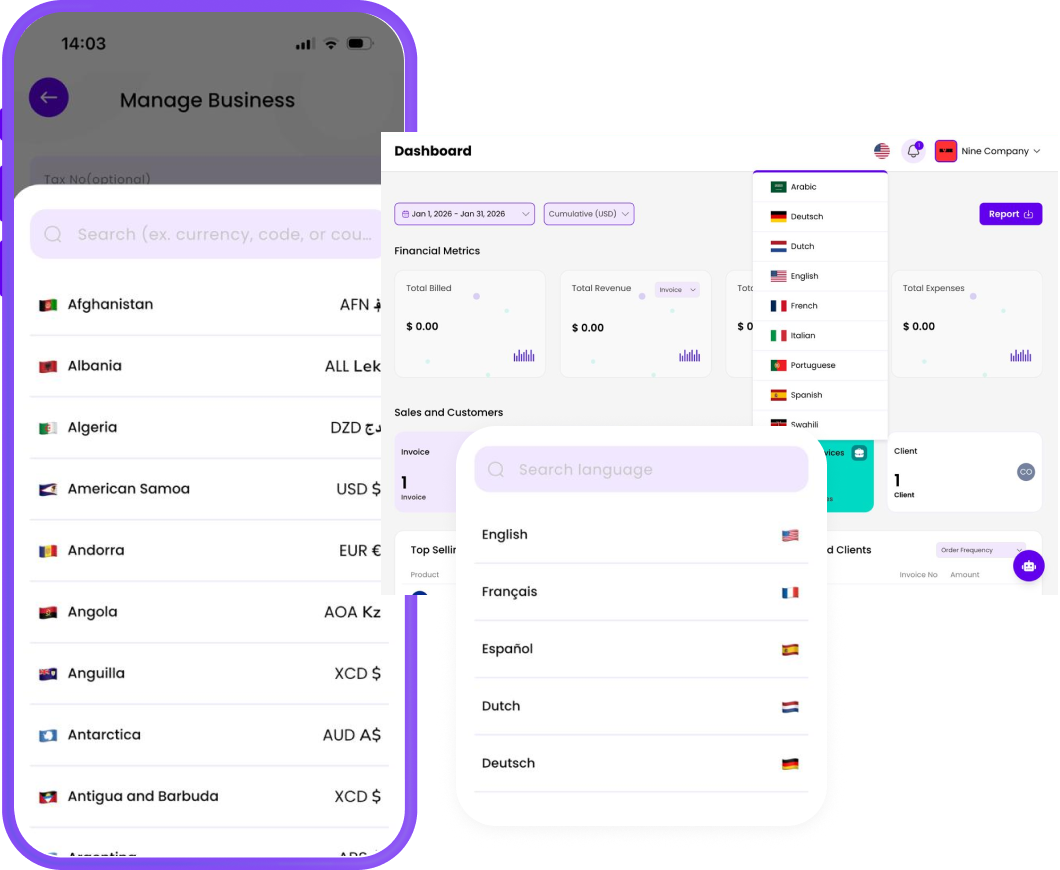
Nenda Ulimwenguni kwa Urahisi
Bila mshono
Usaidizi wa Lugha Nyingi na Sarafu!
Billing Plus is built for businesses without borders. Create invoices in multiple languages and handle different currencies effortlessly, so you can work confidently with local and international clients—no confusion, no extra tools.
Pata Inalipwa Haraka Zaidi na Viungo vya Malipo + Malipo
Send professional invoices and get paid instantly na Viungo vya Malipo + Malipo. Share on WhatsApp, email, or social media — no website needed.


Kwa nini unapaswa kuchagua Bili+,
Bili huboresha usimamizi wa biashara yako kwa kuongeza ufanisi, mpangilio, na mtiririko wa pesa. Tunatoa suluhisho la vitendo na rahisi kutumia kwa mahitaji yako ya ankara na risiti.
Rahisi Kutumia
Bili+, huendesha kiotomatiki kazi inayochukua muda mwingi na inayoweza kusababisha makosa ya kutengeneza ankara na kufuatilia gharama kwa mikono.
Ufanisi
Bili+, hukusaidia kuokoa muda muhimu na hupunguza hatari ya makosa ya kibinadamu katika hesabu, uingizaji data na uzalishaji wa ripoti.
Usahihi
Bili+, inahakikisha kwamba miamala ya biashara yako ni sahihi na inatii kanuni za kodi na ripoti za kifedha.
Utaalamu
Bili+, hukusaidia kujitokeza na kuonekana wa kuaminika ukiwa na ankara na risiti safi, zilizoundwa vizuri na zilizo tayari kwa chapa.
Imejengwa kwa ajili ya wamiliki wa biashara kama wewe
Revolutionize yako company's business management with Billing. Our platform provides an all-in-one solution for overseeing invoices, receipts, and expenses, optimizing workflows, and enhancing financial decision-making.
Anzawajasiriamali
Bili+ inaweza kurahisisha michakato yako ya kifedha kwa ajili ya ufanisi wa wakati, utaalamu, usahihi, na urahisi
Jifunze ZaidiWafanyakazi Huru
Bili+ inaweza kuboresha usimamizi wako wa kifedha na uhusiano na wateja, na kukusaidia kufikia ufanisi na utaalamu zaidi.
Jifunze ZaidiWakandarasi
Bili+ inaweza kurahisisha kazi zako za utawala, kusimamia fedha, kutoa taswira ya kitaalamu, na kuhakikisha usindikaji wa malipo unaofaa.
Jifunze ZaidiWaumbaji
Bili+, can reinforce your brand's reliability with custom templates, yako logo, and clear terms of agreement.
Jifunze ZaidiMashirika Yasiyo ya Faida
Bili+ hurahisisha usimamizi wa biashara yako, huku ukiendelea kuwa wazi, kukuza athari zako, na kufuata mipango inayoendeshwa kwa madhumuni.
Jifunze ZaidiWamiliki wa Biashara Ndogo.
Bili+, can significantly improve yako business's efficiency, accuracy, and professionalism in business operations.
Jifunze ZaidiWahasibu.
Bili+, lets accountants manage client billing data, track expenses, and simplify reporting — all in one place.
Jifunze Zaidikampuni changa
Whether you're bootstrapped or backed, Bili+, gives yako startup financial clarity, so you can focus on product, users, and growth.
Jifunze ZaidiJinsi gani Bili+, Inafanya kazi?
Creating Ankara:s has never been this simple. Here’s how it works in 3 easy steps.
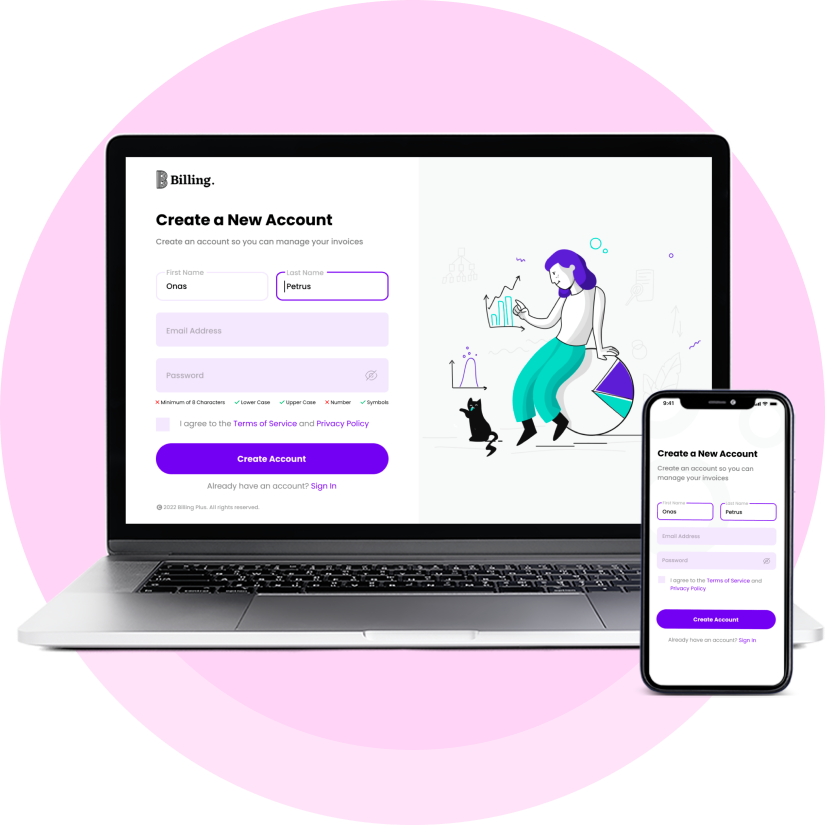
Jisajili au Ingia
Whether you’re a seasoned business owner or just starting, the first step is simple. Jisajili kwa akaunti if you’re new to our platform, or Ingia if you’re a returning user. We take your privacy and security seriously, so you can trust that your information is in safe hands. Once logged in, you’ll have access to all the tools and features you need to streamline yako invoicing and receipt management.
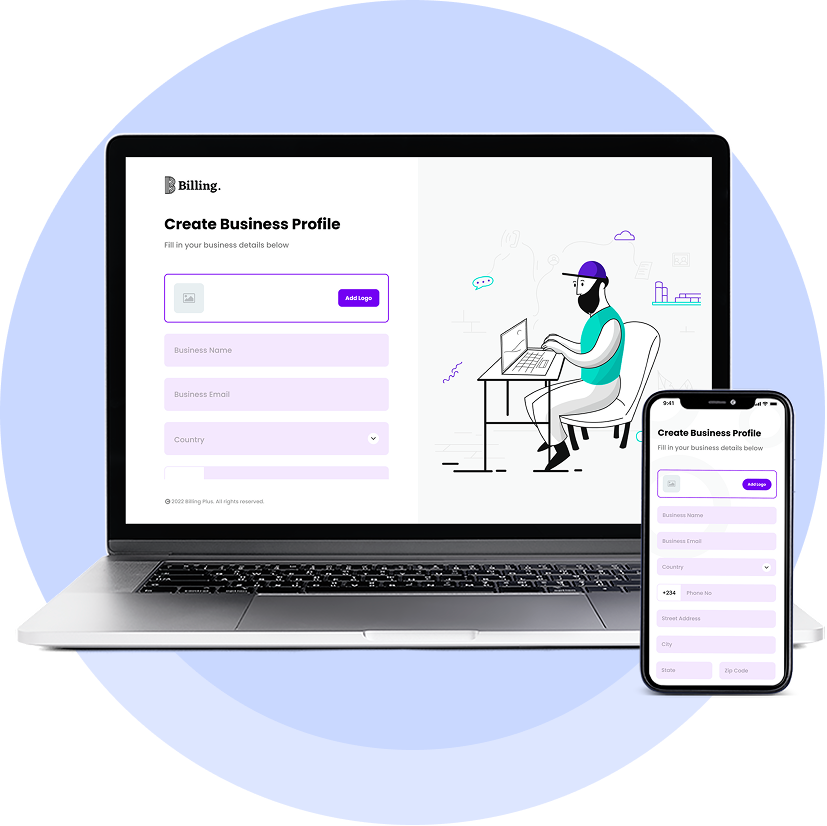
Unda Wasifu wa Biashara
Your business profile is the heart of the Bili+, Uwasilishaji wa ankara and Receipt App. To get started, you’ll need to create a business profile that accurately represents your company. Update yako business information, logo, branding, payment details, and tax information.
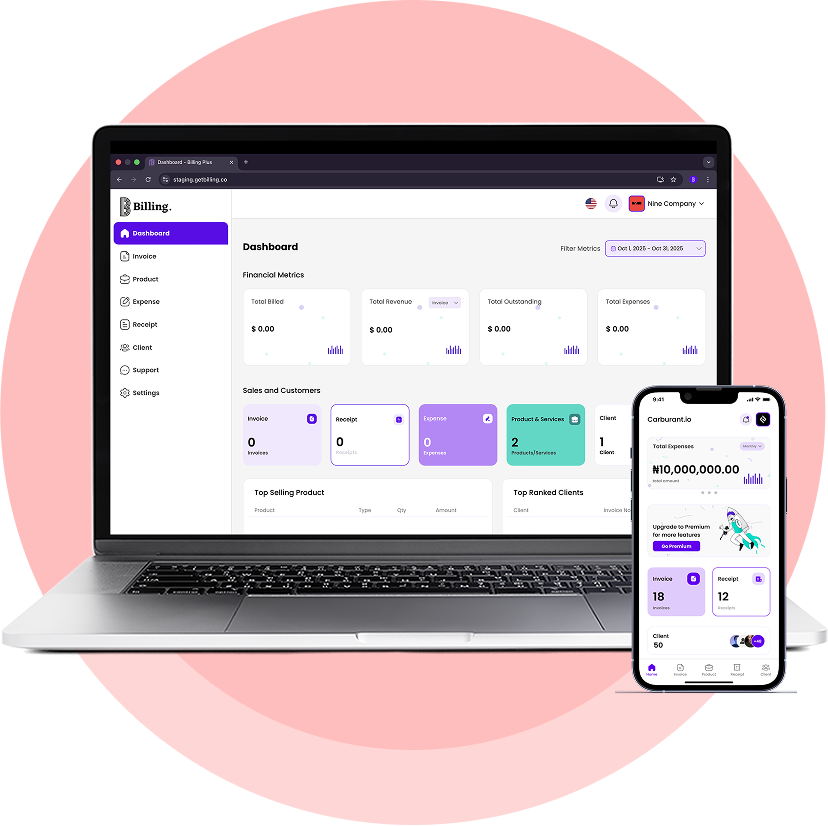
Anza Kutengeneza Ankara, Kutengeneza Risiti na Kufuatilia Gharama
Now that you’ve created your business profile, you’re ready to start using the Bili+, Uwasilishaji wa ankara and Receipt App to manage your records efficiently. Generate professional invoices with just a few clicks, keep track of your expenses by recording receipts digitally, maintain a list of your clients and their contact information, and stay on top of yako business’s financial health with our reporting tools.
Bei Yetu Rahisi na ya Haki
Chagua mpango wa bei unaokufaa zaidi kwa biashara yako. Mpango wa Milele Bila Malipo. Hakuna kadi ya mkopo inayohitajika kuanza.
Mipango ya BeiBure
Kamili kwa ajili ya
kuanza
$0/milele
Vipengele:
- Biashara Moja
- Kiolezo Chaguo-Msingi
- Rangi ya Kiolezo Chaguo-Msingi
- Sarafu Nyingi
- Ankara zisizo na kikomo
- Risiti zisizo na kikomo
- Bidhaa/Huduma Zisizo na Kikomo
- Gharama Zisizo na Kikomo
- Uchanganuzi wa Biashara
Premium
Mpango wetu wa Premium
kwa Biashara Ndogo
$10/m
Vipengele:
- Kila kitu katika Bure
- Biashara Zisizo na Kikomo
- Kiteuzi cha Kiolezo
- Badilisha Rangi ya Kiolezo
- Ankara za Lebo Nyeupe
- Ankara zinazojirudia
- Viungo vya Malipo
Premium Plus
Mpango wetu wa Mwaka
kwa Biashara Ndogo
$115/y
Vipengele:
- Kila kitu katika Mpango wa Premium
- Punguzo la Bei la 4.17%
- Usaidizi wa Kipaumbele
- Ufikiaji wa Vipengele vya Mapema
Watu wanasema nini kuhusu Bili+,
Ukuta wetu wa Upendo wa Kimataifa kuanzia wafanyakazi huru hadi wamiliki wa biashara wanaotumia jukwaa letu!

Ni Programu nzuri ambayo imenisaidia kama mfanyakazi huru. Na nimeipendekeza kwa wengine. Endeleeni na kazi nzuri.

I can create invoices easier and faster now. This is awesome

Programu ya ajabu. Rahisi kutumia na ya haraka

Hii ni programu bora. Kiolesura ni wazi na rahisi kusogeza. Pia napenda ukweli kwamba inaruhusu mtu kuunda saini yake moja kwa moja kwenye skrini bila shida yoyote. Hongera kwa watengenezaji!

This app is so nice and I love it

Programu ni rahisi kutumia na kiolesura ni safi

Kiolesura kinachofaa sana kwa mtumiaji hufanya kazi vizuri sana. Kudos DM

Nilijitahidi kupata programu ya kusaidia na risiti za biashara yetu hadi nilipokutana na Billing. Muonekano wa kitaalamu ulinivutia mimi na wangu!!! utendaji wake ni wa kuvutia. Milioni moja ya sifa kwa msanidi programu.

Ninapenda programu hii

Programu rahisi na yenye ufanisi ya bili. Inashughulikia misingi vizuri. Kuunda wateja, ankara, na risiti ni haraka na rahisi. Ninafurahi kuona kile ambacho sasisho lijalo litaleta.

Baada ya utekelezaji wa Ankara ya Bili ya LeBelleAmi, muda wangu wote wa usindikaji wa oda umepungua sana, na ninashangaa kuona kwamba, sasa naokoa zaidi ya saa 10 kwa wiki.

Ni programu nzuri sana, kazi nzuri katika kuifanya hii, naipenda sana
Mara kwa mara Aliuliza
Maswali
Yote unayotaka kujua kuhusu Bili+,.
Je, malipo yanapatikana kwa vifaa vya iOS na Android?
Je, ninaweza kutumia Billing kwa madhumuni ya kibinafsi na ya kibiashara?
Bila shaka! Bili ni rahisi kutumia na inaweza kutumika kwa fedha za kibinafsi, wafanyakazi huru, biashara ndogo ndogo, na biashara kubwa zaidi.
Je, ninaweza kufikia akaunti yangu ya Bili kutoka kwa vifaa vingi?
Ndiyo, Bili imeundwa ili ipatikane kutoka kwa vifaa vingi. Data yako husawazishwa vizuri kwenye vifaa vyote mara tu unapoingia na akaunti yako.
Ninawezaje kuunda ankara kwa kutumia Bili?
To create an invoice, open the app, go to the "Ankara:s" tab, and click on "Unda Ankara." Fill in the necessary details like client information, items or services provided, and the due date. Once done, you can preview and send the invoice to yako client.
Here's a tutorial on our YouTube channel to assist you. Bonyeza Hapa
Je, data yangu iko salama na inatosha kutumia Billing?
Tunachukulia usalama wa data yako kwa uzito. Billing hutumia usimbaji fiche na seva salama kulinda taarifa zako. Data yako huhifadhiwa kwa usalama katika wingu, na tunafuata mbinu bora za sekta ya kuilinda.

 English
 Arabic
 Spanish
 French
 Dutch
Dutch German
 Italian
 Portuguese