
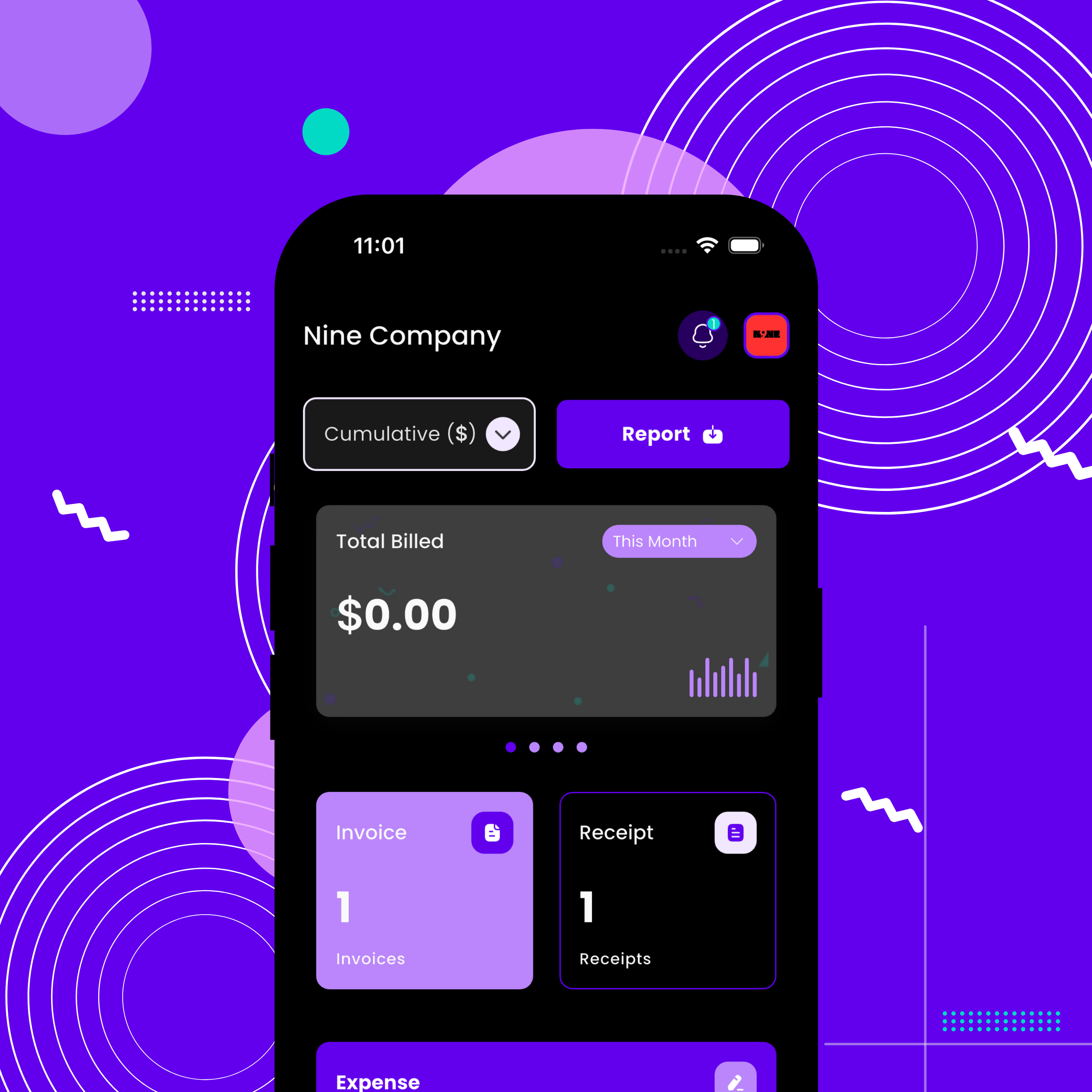
Invoicing is a core part of running a business, but for many freelancers and small business owners, it often turns into a frustrating chore. Manual entries, limited payment options, and slow payments can turn simple tasks into a frustrating experience that affects both productivity and cash flow.
Katika Billing, tulisikiliza kwa makini watumiaji halisi na kujifunza jinsi biashara nchini Nigeria zinavyosimamia ankara na gharama. Ufahamu huo ulitusaidia kujenga vipengele vinavyorahisisha bili za kila siku, kupunguza makosa, na kufanya kulipwa kwa haraka na rahisi zaidi.
This release introduces smarter invoicing, better expense management, and more flexibility for entrepreneurs managing one or multiple businesses. Designed around how modern businesses actually work, Billing continues to stand out as the best invoicing software in Nigeria for growing and established businesses alike.
What’s New: Overview of Billing’s Latest Features
As businesses grow and workflows evolve, invoicing shouldn’t slow things down. These new updates are designed to support modern business needs while keeping everyday billing simple and efficient.
Billing’s latest features include:
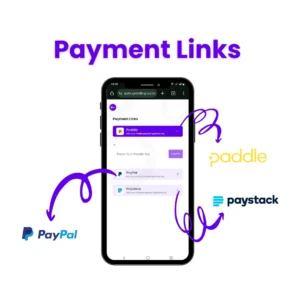
- Payment Links: This feature allows clients to pay invoices instantly with secure, clickable links. There are 3 links available in the billing software, including PayPal, Paddle, and Paystack.
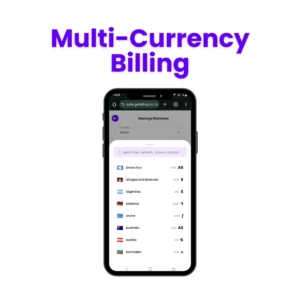
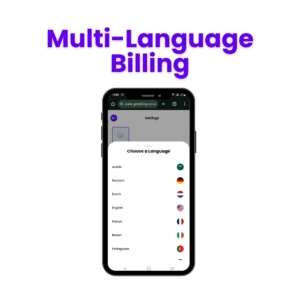
- Multi-Language and Multi-Currency Billing: In the Billing platform, there is now an option to change the language and currency to best suit your needs in terms of language barriers.
- Multiple Business Management: With just a single billing account, you can manage invoices, expenses, and records for multiple businesses.
- Upgraded Invoice Templates with Custom Colors: With this feature, you can now create professional, branded invoices with color customization and a much-improved layout.
- Invoice Status Visibility: With this feature, you can now track and label the status of your invoice on the Billing software.
- Expense Image Upload: While creating your expenses, this feature lets you attach an image of your receipts for better record-keeping and accuracy.
Feature #1: Payment Links
What It Is
The payment links allow you to add a secure, clickable payment option directly to your invoice. It reduces the hassle of asking clients to transfer funds manually or to confirm payments separately; they can pay instantly via the payment link attached to your invoice.
The Problem It Solves
Many businesses struggle with late payments because:
- Clients forget payment details
- Clients delay bank transfers
- Clients ask for payment details repeatedly
All these slow down cash flow and increase administrative work.
Jinsi Inavyofanya Kazi
This link is included in your invoice and can be shared via WhatsApp, email, or any other communication platform.
Key Benefits
- Faster payments and fewer reminders
- Reduced error for clients
- Improved cash flow predictions
- Fewer manual follow-ups from your teams
Perfect For
- Freelancers and consultants who want to get paid quickly
- Small businesses that deal with late-paying clients
- Businesses that invoice online or remotely
- Companies offering digital services
How To Access
Before you create an invoice on Billing, you must go to the settings and click on payment links. There, you can set up your preferred payment link before it shows up as an option on your invoice.
Feature #2: Multi-Language and Multi-Currency Billing
What It Is
Billing Plus supports the creation of professional invoices in multiple languages and currencies. This enables you to cater to your clients’ language and currency preferences without having to translate or enter data manually.
The Problem It Solves
Some businesses often work with international or diverse clients, and they often face some problems, such as:
- Confusion over exchange rates
- The clients reject an invoice due to unfamiliar currencies
- Slow payments due to language barriers
- Errors from converting currencies manually
These problems can delay payments and create unnecessary issues.
Jinsi Inavyofanya Kazi
Before creating an invoice, you can:
- Select the language you want the invoice to be displayed in
- Select the currency you want to bill with
Key Benefits
- Clear and professional invoices that clients understand quickly
- Reduce payment delays caused by currency and language confusion
- More professional experience for international clients
Perfect For
- Businesses with foreign and diaspora clients
- Freelancers working with global platforms
- Exporters and service providers billing outside Nigeria
- Companies servicing multilingual clients
How To Access
- The language picker is on the dashboard with the flag icon.
- The currency picker can be accessed through the settings under business
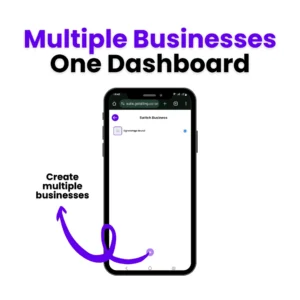
Feature #3: Manage Multiple Businesses From One Dashboard
What It Is
Billing Plus allows you to manage multiple businesses under a single account with its own invoices, clients, branding, currencies, and reports without having to log in and out.
The Problem It Solves
Serial entrepreneurs, consultants, and agency owners often struggle with:
- Separate tools for each business
- Mixing invoices, clients, and finance between businesses
- Branding mistakes, including using the wrong logo and business name on invoices
- Poor visibility across different revenue streams
Everything becomes messy and error-prone.
Jinsi Inavyofanya Kazi
With Billing Plus, you can:
- Add multiple businesses to one account
- Switch between businesses directly from your dashboard
- Assign details unique to each business (name, logo, tax info)
- Keep all invoices, expenses, and receipts separate
This way, everything can be organised without any error and duplication.
Key Benefits
- One login for all businesses
- Clean separation of finances and records
- Faster invoicing with the correct branding every time
- Better visibility into performance across businesses
Perfect For
- Serial entrepreneurs running multiple businesses
- Consultants with separate business lines or brands
- Agency owners managing different clients
- Freelancers transitioning into multiple income streams
How To Access
This feature is available on Billing Plus. You can manage multiple businesses through your dashboard settings.
Feature #4: Upgraded Templates & Customized Colors
What It Is
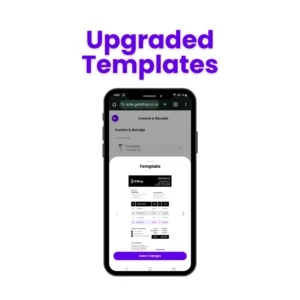
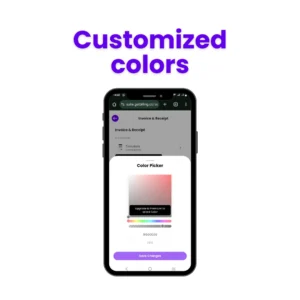
Billing now offers upgraded invoice templates and the ability to customize colors. Now you can create invoices that match your brand identity and stand out professionally.
The Problem It Solves
Before this update:
- Invoices look generic and boring
- Branding was limited inturn making invoices look unprofessional
Jinsi Inavyofanya Kazi
- Choose from a variety of invoice templates
- Adjust template colors to match your brand identity
- Save template settings for future invoices, so every invoice maintains a professional look
- Works smoothly with all invoice types, including recurring invoices
Key Benefits
- Strengthens your brand Identity
- Makes your invoices look professional and visually appealing
- Templates adapt to digital and printable formats
Perfect For
- Freelancers, consultants, and small business owners who want branded invoices
- Agencies with multiple clients requesting distinct invoice styles
- Businesses using invoicing as part of their marketing and brand campaign
How To Access
It is available in your settings under invoice and receipt. There, you can pick a template and customize the color.
Feature #5: Status Visibility
What It Is
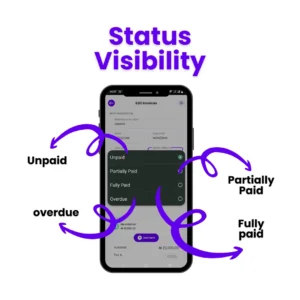
Billing now has clear payment status tracking so you can label invoices as either fully paid, unpaid, partially paid, or overdue.
The Problem It Solves
- It used to be difficult to label which invoices were paid, unpaid, or overdue.
- Uncertainty about payment status causes delayed cash flow and extra admin work.
- The management of multiple clients and invoices is confused without a simple labeling system.m
Jinsi Inavyofanya Kazi
- While creating an invoice, there is an option to label it unpaid, paid, partially paid, or overpaid.ue
- There is a filter where you can search for just unpaid invoices, paid invoices, partially paid invoices, or overdue invoices.
Key Benefits
- Easily track payments
- Identification of invoices labelled partially paid that need reminders
- Improve cash flow and reduce admin work
- Generate clearer reports for accounting or audits
Perfect For
- Freelancers and business owners managing multiple clients
- Agencies and consultants handling multiple invoices
- Anyone who wants to have clear visibility of their payments
How To Access
You can find this feature as an option when creating an invoice.
Feature #6: Upload Expense Images

What It Is
Billing now allows you to upload receipts and expense documents directly when creating or recording an expense.
The Problem It Solves
- Paper receipts can get lost, damaged, or forgotten
- Expenses are recorded without proof, causing issues during tax filing or audit
- Switching between apps and folders to record expenses wastes time
Jinsi Inavyofanya Kazi
- When creating an expense can upload a scanned or photographed copy of your receipt.
- The image is stored securely and will be linked to that specific expense
- You can access the receipt anytime from your expense list
Key Benefits
- Keeps all proof of expenses organized in one place
- Makes auditing and tax preparations less stressful
- Less manual recordkeeping and paperwork
- Ensures a more accurate expense tracking for better financing reports
Perfect For
- Freelancers tracking their expenses
- Small business preparing VAT or income tax returns
- Anyone who needs clear documentation of their expenses for accounting and compliance
How To Access
Go to Expenses, then click Create Expenses and upload the document before you save.
Getting Started With Billing’s New Feature
The latest Billing updates are easy to adapt to, whether you have been using the platform before these updates or are just signing up for the first time. You do not need any special expertise or skills to use these new features.
For Existing Users
If you are already using Billing, these new features are automatically available for you, depending on your subscription plan:
A quick warm-up:
- Ingia to your Billing account
- Explore the updated dashboard, invoice, expenses, and business settings section.s
- Enable payment links for invoices, upload expense documents, and manage multiple businesses from one account.nt
- Customize templates and colors to match your brand
- Track your invoice status
No changes or migration are needed; your existing account and information remain intact.
For New Users
If you’re new to Billing, you can start using these features once you set up your account.
With Billing, you can:
- Create professional invoices in minutes
- Accept payments through secure payment links
- Track invoice status clearly
- Manage expenses with receipt uploads
- Handle multiple businesses from one dashboard
- Invoice in multiple currencies and languages using Billing Plus
Create your Billing account for free and start invoicing smarter and stress-free today.
Disclaimer: Not all features come with the free plan of Billing Plus
What’s Already Working For You
Before the latest feature update, Billing already gave freelancers, consultants, and small businesses the essential tools to handle invoicing and track expenses with ease and confidence. Those core features now set the stage for the new updates, making everyday billing even smoother and more powerful.
Invoice Creation and Issuance
Billing has always made it easy to create professional invoices with a clear display of items, clients’ information, and the total. Once created, invoices can be issued quickly, helping businesses bill clients promptly and maintain a professional image.
Receipt Creation and Issuance
Users can create receipts for partial or completed payments, ensuring proper documentation for both the businesses and their clients. This helps with recordkeeping, audits, and tax reporting.
Expense Tracking
Billing allows users to record and track their expenses accurately in one place. This gives insight into spending patterns and supports accurate financial reporting.
Client Management
Client information can be stored and managed with the Billing platform, making it easier for businesses to create invoices, keep track of transaction history, and maintain organized records.
Report Generation
Billing helps generate reports that summarize your financial metrics.
Together, all these features provide a solid invoicing and record-keeping foundation, one that the new features expand for a better user experience.
What Users Are Saying
Users of Billing often share how much easier it has made their invoicing and how it helps keep cash flowing smoothly. Whether it’s a freelancer juggling a handful of clients or a growing business handling dozens of invoices, the message is the same: Billing takes the stress out of invoicing, making sending receipts and getting paid a lot simpler.
See what people love about Billing:



ROI Breakdown: How Billing Delivers Real Value
Billing’s impact isn’t just about convenience; it translates into measurable business values.
- Time saved = money saved: Automating invoicing tasks and organizing financial data reduces hours spent on admin work.
- Faster payments improve cash flow: Clear invoices, payment links, and visible invoice status reduce delayed payments and unnecessary reminders.
- Reduced errors prevent losses: Structured invoice creation and expense tracking minimize mistakes that can lead to disputes or missed income.
- Professional image attracts better clients: Clean invoice templates, receipts, and organized client records help businesses appear credible and trustworthy.
- Scalability supports growth: With tools designed to handle more clients, expenses, and reports, Billing grows alongside your business without added complexity.
Our Commitment to Continuous Improvements
At Billing, updates don’t just happen. These updates are driven by real customer feedback from freelancers, consultants, and growing businesses that rely on the platform. The goal is simple: remove the hassle of invoicing and financial management, so that customers can focus on managing their businesses.
Customer Feedback Drives Developments
Many of Billing’s latest features, like payment links, invoice status visibility, and multi-business management, were built according to how businesses actually operate. Feedback from users highlighted common challenges such as delayed payments, lack of visibility, and managing finances across multiple ventures. Each of these releases is shaped to solve these practical problems, not just to add features.
What’s Coming Next
Billing’s roadmap focuses on:
- Smarter automation for invoicing and payments
- Deeper insights through improved reports and financial summaries
- More customization options to match different business needs
- Continued improvements to speed, usability, and reliability
Stay Updated
- Follow Billing on socials for the latest updates and invoicing tips
- Got feedback? Share it with us and help shape what we build next
Maswali Yanayoulizwa Mara kwa Mara
1. Is my data safe with the mobile app?
Yes. The mobile app uses secure authentication and encrypted data handling to protect your invoices, client information, and financial records, just like the web version.
2. Can I try features before committing?
Yes. You can use core features on the free plan and explore the platform before upgrading. This allows you to test how Billing fits your workflow before paying.
3. What happens to my existing invoices with the new templates?
Nothing changes. All existing invoices remain exactly as they are. New templates only apply to invoices you create after the update.
4. How do integrations handle data privacy?
Integrations only access the minimum data needed to work properly. Billing does not sell or misuse your data, and all integrations follow strict security and privacy standards.
5. Can I turn off features I don’t need?
No. You can simply choose not to use features that aren’t relevant to your business; there’s no requirement to use everything.
Mawazo ya Mwisho
Billing makes invoicing feel simple again. It cuts down the busywork, keeps everything clear, and helps you stay in control without overthinking the process. With the essentials covered in one place, you can focus less on admin and more on running your business and getting paid on time.