

Por qué tu factura importa más de lo que crees
Si eres autónomo, propietario de una pequeña empresa o profesional creativo, tu factura no es solo un trozo de papel. Es tu apretón de manos de pagoUna factura bien diseñada y profesional te ayuda a cobrar más rápido, genera confianza con los clientes y hace que tu negocio parezca creíble y organizado.
Lamentablemente, muchas empresas aún envían facturas desordenadas o incompletas, lo que provoca retrasos en los pagos y confusión. Una factura clara, profesional y con la imagen de su marca aumenta las probabilidades de que le paguen a tiempo.
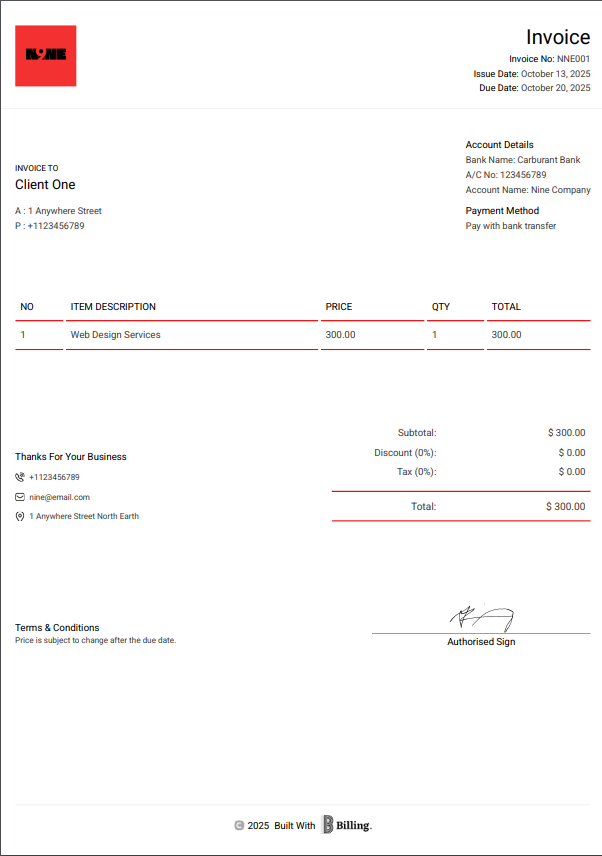
¿Qué hace que una factura sea "profesional"?
Una factura profesional debe cumplir tres funciones:
- Identifique claramente su negocio: Incluya su logotipo, nombre de la empresa e información de contacto.
- Comunique exactamente qué es lo que se está facturando: Evite las descripciones vagas.
- Facilita el pago: Indique la moneda, el método de pago y las fechas de vencimiento.
Elementos esenciales de una factura profesional:
- Nombre y logotipo de la empresa
- Nombre y dirección del cliente
- Número de factura único
- Fecha de emisión y fecha de vencimiento
- Lista detallada de servicios o productos
- Importe total (con impuestos, si corresponde)
- Instrucciones o enlaces de pago
Consejo profesional: Añade una breve nota de agradecimiento al final. Los pequeños detalles pueden hacer que tu negocio destaque.
Cómo crear una factura profesional en minutos (usando la función de facturación)
Con FacturaciónNo necesitas diseñar ni formatear nada. Todo está automatizado. Sigue estos sencillos pasos:
Paso 1: Seleccione “Crear factura”
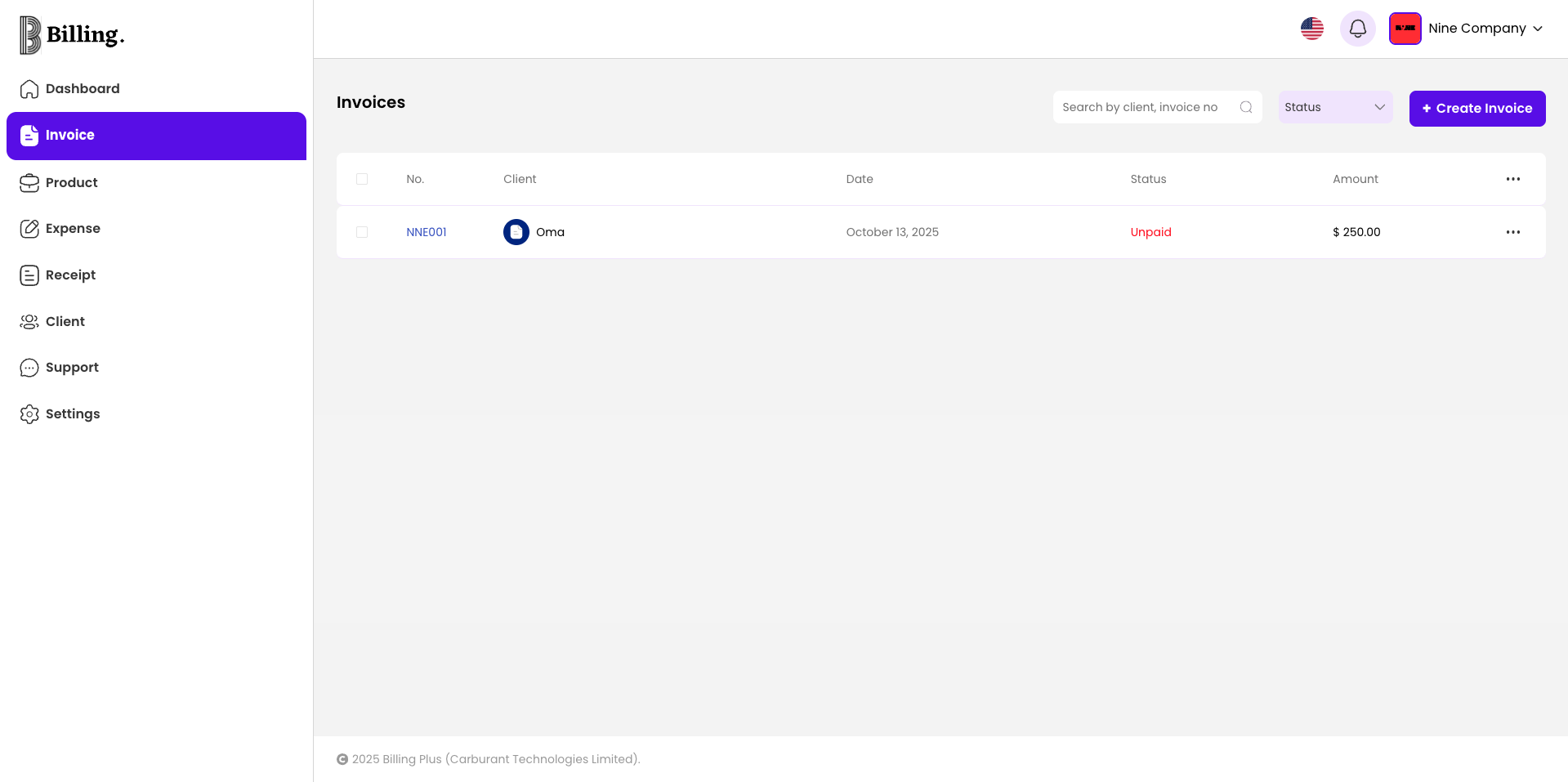
Abre tu aplicación de facturación, selecciona Factura y tocar Crear factura desde el panel de control.
Paso 2: Añade a tu cliente.
Seleccione un cliente existente o añada uno nuevo al instante.
Paso 3: Introduzca los servicios o productos.
Enumere los conceptos que está facturando, incluyendo cantidad, precio, descuentos e impuestos.
Paso 4: Revise su factura
Vea una vista previa del resultado. Su logotipo, colores, diseño y firma se aplican automáticamente.
Paso 5: Enviar al instante
Envía por correo electrónico, WhatsApp o descarga en PDF con un solo clic. Tu cliente recibirá una factura clara y profesional, lista para pagar.
Cómo la facturación te ayuda a cobrar más rápido
- Recordatorios automáticos: Notificar a los clientes antes y después de las fechas de vencimiento.
- Recibos instantáneos: Genera un recibo en segundos una vez realizado el pago.
- Compatibilidad con múltiples divisas: Factura en USD, GBP, NGN y más.
- Seguimiento inteligente: Consulta qué facturas están pagadas, pendientes o vencidas.
Con estas herramientas, podrá mantener la profesionalidad y no volver a tener que reclamar pagos nunca más.
Bonus: Destaca con tu marca
Tus facturas reflejan la identidad de tu marca. Con la función de facturación, puedes personalizar los colores, subir tu logotipo e incluso incluir tu firma digital. Esto te ayuda a crear facturas que representan a tu empresa de forma profesional.
Una factura bien presentada transmite confianza y fiabilidad. Los clientes son mucho más propensos a priorizar el pago cuando reciben un documento que parece oficial y organizado.
Reflexiones finales
Crear una factura profesional no tiene por qué ser estresante. Con Billing, puedes diseñar, enviar y hacer seguimiento de tus facturas en minutos, lo que te ayudará a proyectar una imagen más profesional y a cobrar siempre a tiempo.
¿Listo para simplificar tu negocio?
Obtenga su factura hoy mismo. y empieza a enviar tu primera factura en cuestión de minutos.