
Kostenlos Rechnung: App für Freiberufler & Klein Unternehmen.
Verwalten Sie Ihr Unternehmen wie ein Profi, mit Rechnungsstellung, Quittungserstellung und Ausgabenverfolgung in einer einfachen App. Billing Plus bietet alle Geschäft-Management-Tools, die Sie benötigen, um Ihr Unternehmen zu starten, zu organisieren, zu wachsen, zu verwalten und zu skalieren.
Kostenloser Tarif für immer. Keine Kreditkarte zum Starten erforderlich.

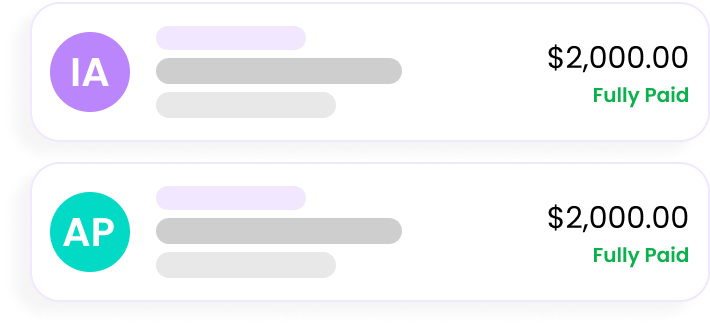


Okay, sehen wir uns Billing in
Zahlen
Merkmale in unserem Geschenktüte?
Wir bieten eine praktische und benutzerfreundliche Lösung für Ihren Bedarf an Rechnungen und Belegen.

Rechnung erstellen
Superschnell
Rechnungserstellung
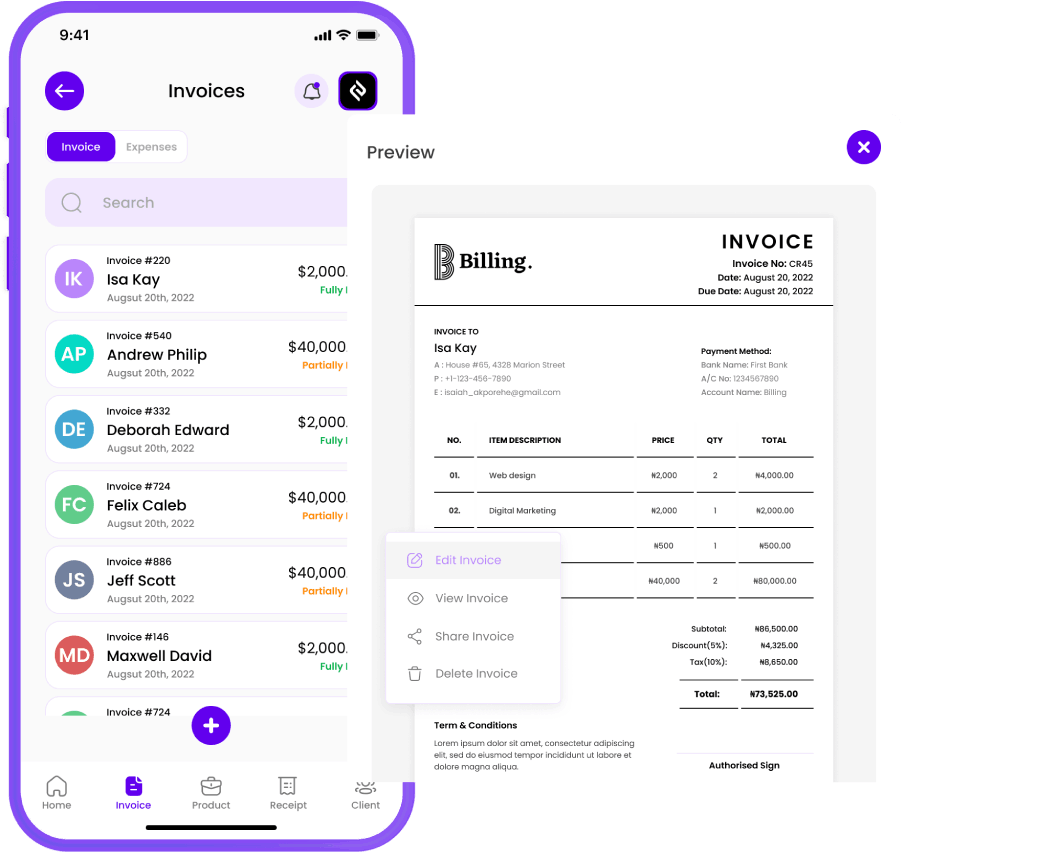
Erstellen Sie mit nur wenigen Klicks professionelle Rechnungen. Passen Sie sie so an, dass sie Ihr Branding enthalten, fügen Sie Positionen hinzu und berechnen Sie automatisch Steuern. Senden Sie Rechnungen sofort per E-Mail, SMS oder WhatsApp an Ihre Kunden! Richten Sie wiederkehrende Rechnungen für Ihre Stammkunden ein.

Quittung ausstellen
Problemlos
Beleggenerierung
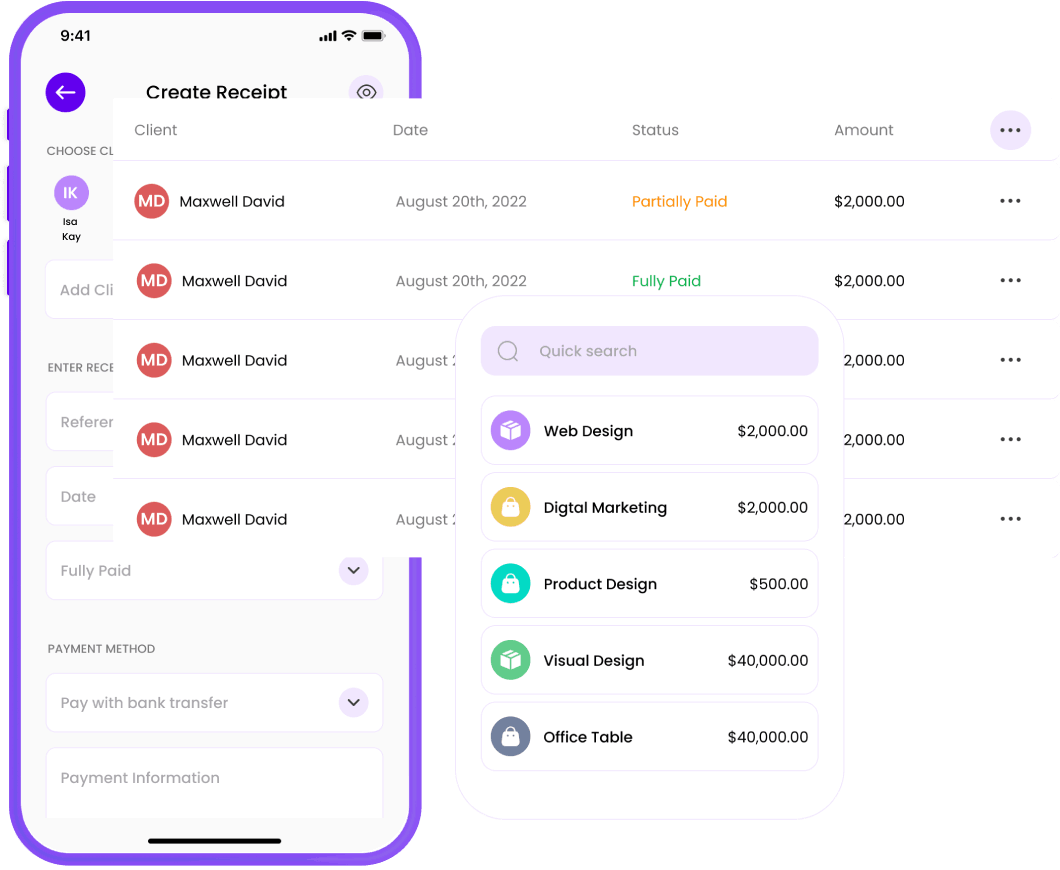
Erstellen und versenden Sie mühelos Quittungen! Verwandeln Sie Rechnungen in Sekundenschnelle in Quittungen, oder erstellen Sie unterwegs neue Quittungen. Verabschieden Sie sich von der Papierflut und begrüßen Sie die nahtlose Organisation: Senden Sie Ihre Quittungen sofort per E-Mail, SMS oder WhatsApp an Ihre Kunden!

Kunden verwalten
Nahtlos
Kundenbetreuung
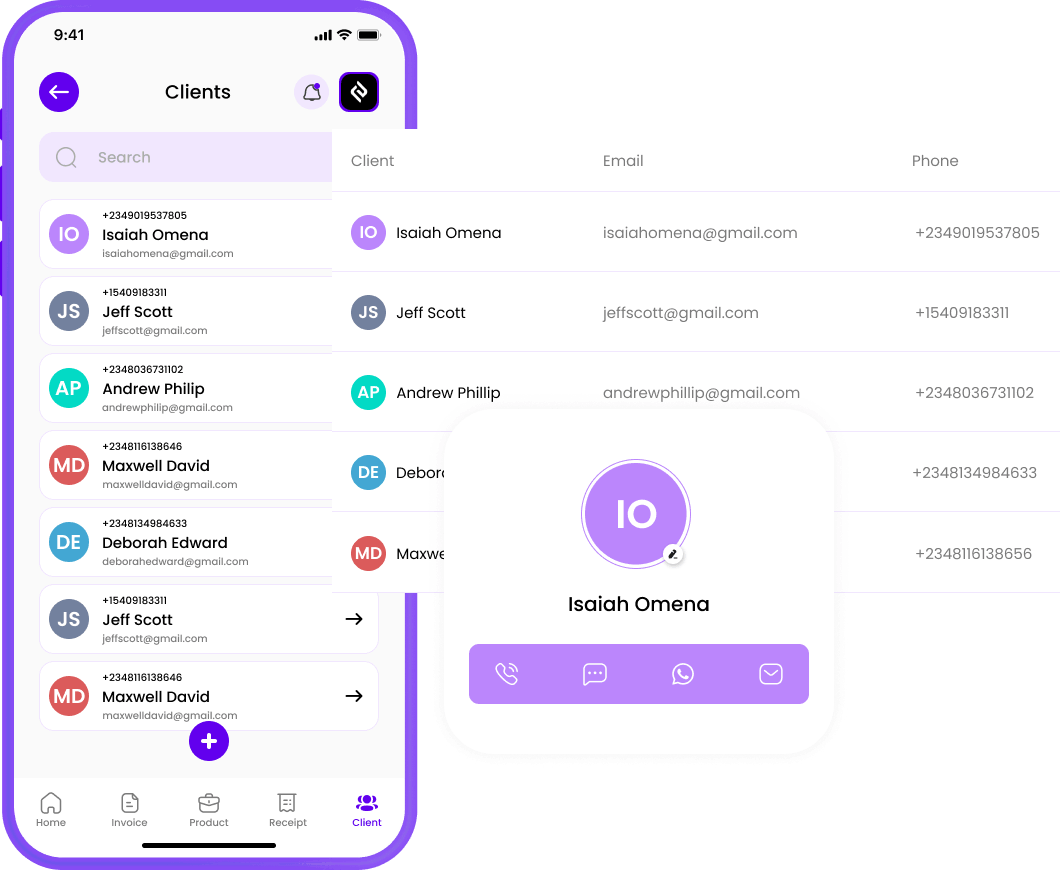
Führen Sie eine Liste Ihrer Kunden und deren Kontaktinformationen. Dies erleichtert die Auswahl von Empfängern bei der Erstellung von Rechnungen und Quittungen und hilft Ihnen, den Überblick über Ihre Kundenbeziehungen zu behalten.

Ausgaben verfolgen
Ultimatives Geschäft
Kosteneinblick
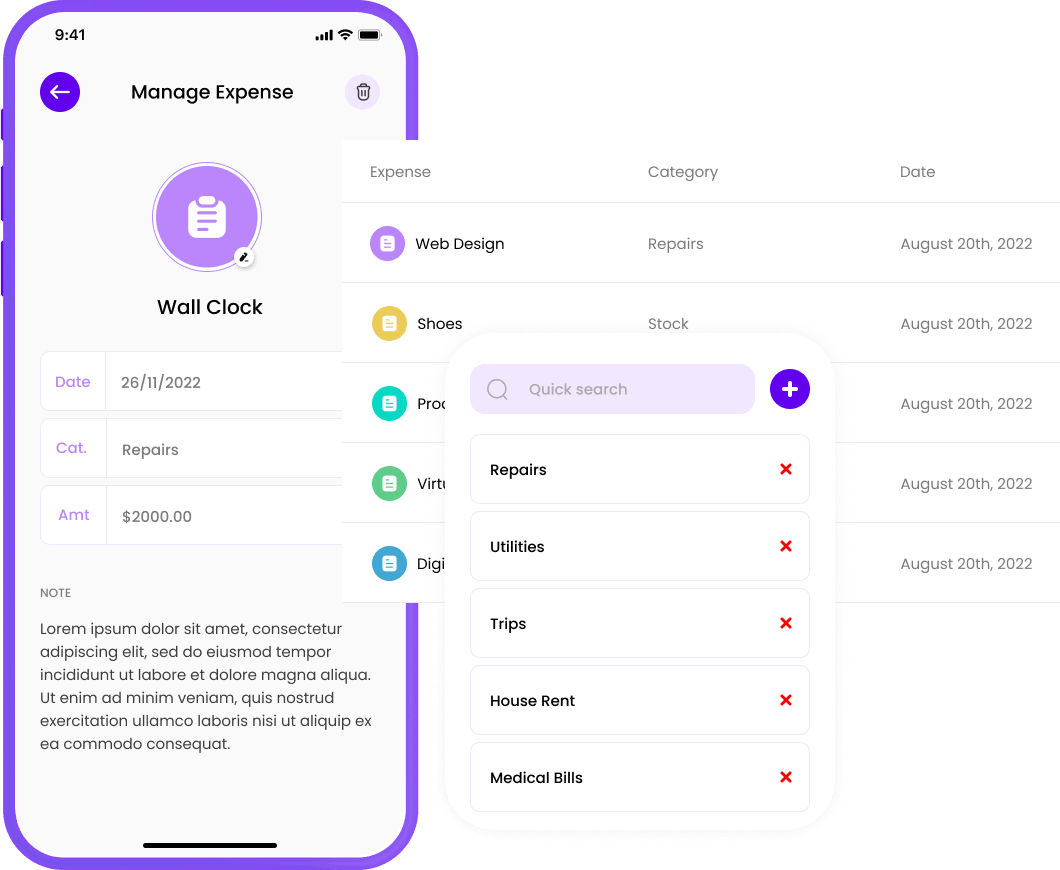
Track, manage, and conquer your business expenses! Effortlessly log expenses, stay organized, and never lose a receipt again. Vereinfachen Sie Ihr financial life and focus on what really matters—growing Ihr business!

Berichte generieren
Detaillierte Berichterstattung
für Buchhaltung und Audit
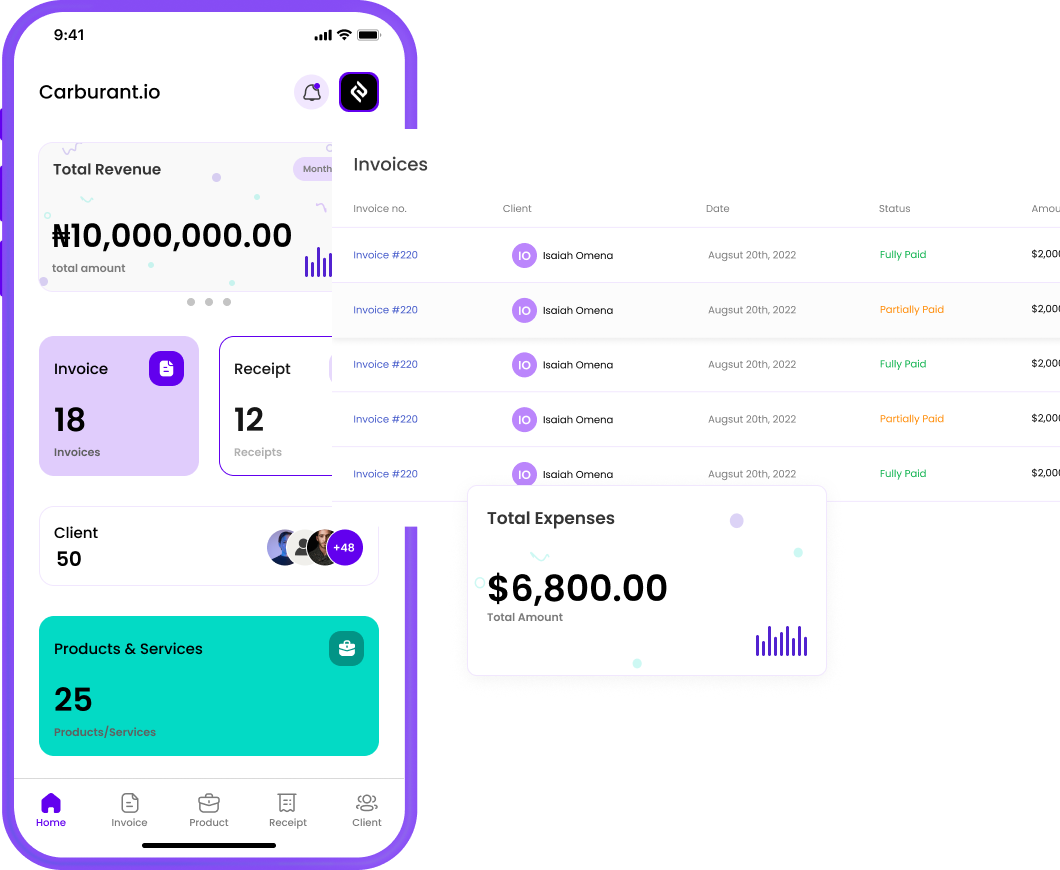
Behalten Sie mit unseren Berichtstools den Überblick über die finanzielle Situation Ihres Unternehmens. Sehen Sie sich Einkommensübersichten, Ausgabenberichte und mehr an, um fundierte Entscheidungen zu treffen.

Global erfolgreich sein – ganz einfach
Nahtlos
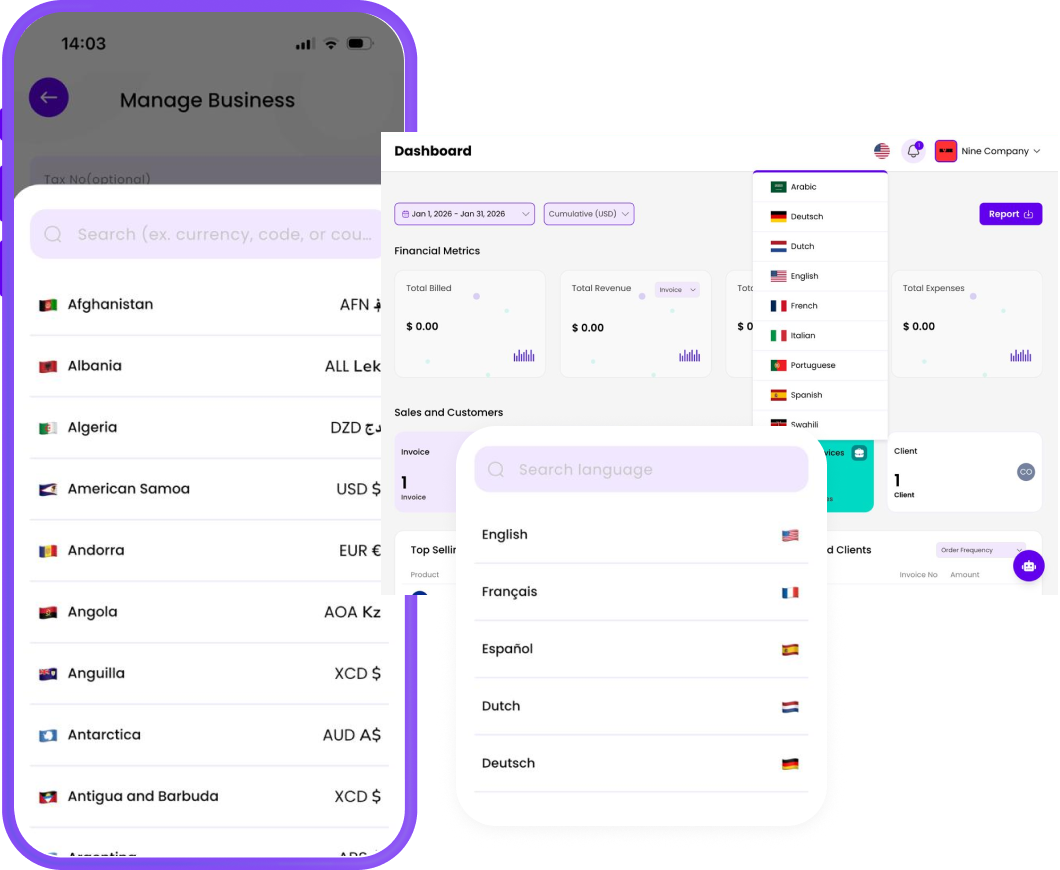
Mehrsprachigkeit und Währungsunterstützung!
Billing Plus is built for businesses without borders. Create invoices in multiple languages and handle different currencies effortlessly, so you can work confidently with local and international clients—no confusion, no extra tools.
Siehe Schneller bezahlt mit Rechnungsstellung Links zur Bezahlung
Send professional invoices and get paid instantly mit Rechnungsstellung Links zur Bezahlung. Share on WhatsApp, email, or social media — no website needed.


Warum Sie wählen sollten Rechnungsstellung
Die Fakturierung verbessert Ihre Unternehmensführung, indem sie die Effizienz, die Organisation und den Cashflow steigert. Wir bieten eine praktische und benutzerfreundliche Lösung für Ihren Bedarf an Rechnungen und Quittungen.
Einfach zu benutzen
Rechnungsstellung automatisiert die ansonsten zeitaufwändige und fehleranfällige Aufgabe, Rechnungen manuell zu erstellen und Ausgaben zu verfolgen.
Wirkungsgrad
Rechnungsstellung hilft Ihnen, wertvolle Zeit zu sparen und das Risiko menschlicher Fehler bei Berechnungen, Dateneingabe und Berichterstellung zu verringern.
Genauigkeit
Rechnungsstellung stellt sicher, dass Ihre Geschäftstransaktionen korrekt sind und den Steuervorschriften und der Finanzberichterstattung genügen.
Professionalität
Rechnungsstellung hilft Ihnen, mit sauberen, schön gestalteten, markengerechten Rechnungen und Belegen aufzufallen und glaubwürdig zu wirken.
Gebaut für Geschäftsinhaber wie Sie
Revolutionize Ihr company's business management with Billing. Our platform provides an all-in-one solution for overseeing invoices, receipts, and expenses, optimizing workflows, and enhancing financial decision-making.
Los geht'sUnternehmer
Rechnungsstellung kann Ihre Finanzprozesse rationalisieren und so für Zeitersparnis, Professionalität, Genauigkeit und Komfort sorgen.
Mehr erfahrenFreiberufler
Rechnungsstellung kann Ihr Finanzmanagement und Ihre Kundenbeziehungen verbessern und Ihnen zu mehr Effizienz und Professionalität verhelfen.
Mehr erfahrenBauunternehmer
Rechnungsstellung kann Ihre Verwaltungsaufgaben rationalisieren, die Finanzen verwalten, ein professionelles Image präsentieren und eine effiziente Zahlungsabwicklung gewährleisten.
Mehr erfahrenSchöpfer
Rechnungsstellung can reinforce your brand's reliability with custom templates, Ihr logo, and clear terms of agreement.
Mehr erfahrenGemeinnützige Organisationen
Rechnungsstellung vereinfacht Ihre Unternehmensführung, während Sie transparent bleiben, Ihre Wirkung steigern und zielgerichtete Initiativen verfolgen.
Mehr erfahrenKleinunternehmer.
Rechnungsstellung can significantly improve Ihr business's efficiency, accuracy, and professionalism in business operations.
Mehr erfahrenBuchhalter.
Rechnungsstellung lets accountants manage client billing data, track expenses, and simplify reporting — all in one place.
Mehr erfahrenStart-ups
Whether you're bootstrapped or backed, Rechnungsstellung gives Ihr startup financial clarity, so you can focus on product, users, and growth.
Mehr erfahrenWie Rechnungsstellung Funktioniert?
Creating Rechnung:s has never been this simple. Here’s how it works in 3 easy steps.
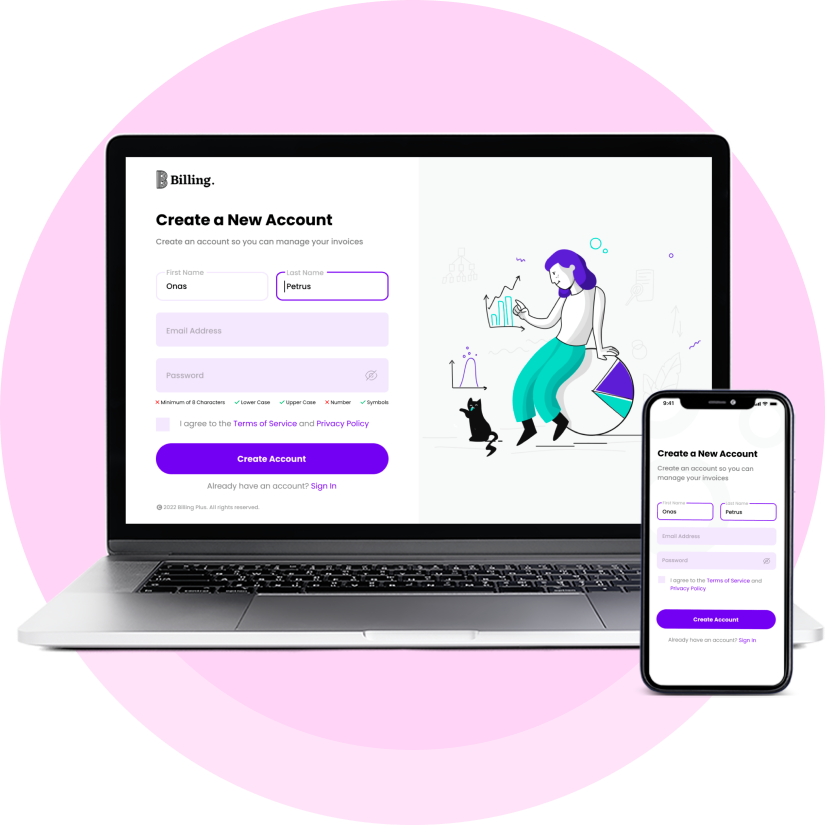
Anmelden oder Einloggen
Whether you’re a seasoned business owner or just starting, the first step is simple. Anmelden für ein Konto if you’re new to our platform, or Einloggen if you’re a returning user. We take your privacy and security seriously, so you can trust that your information is in safe hands. Once logged in, you’ll have access to all the tools and features you need to streamline Ihr invoicing and receipt management.
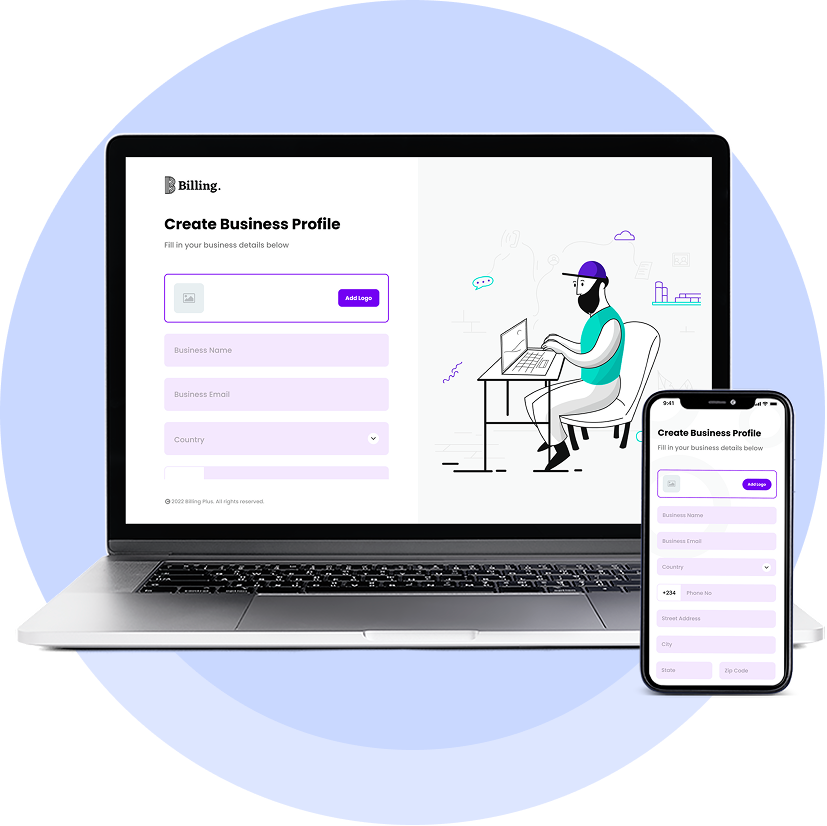
Ein Geschäftsprofil erstellen
Your business profile is the heart of the Rechnungsstellung Fakturierung and Receipt App. To get started, you’ll need to create a business profile that accurately represents your company. Update Ihr business information, logo, branding, payment details, and tax information.
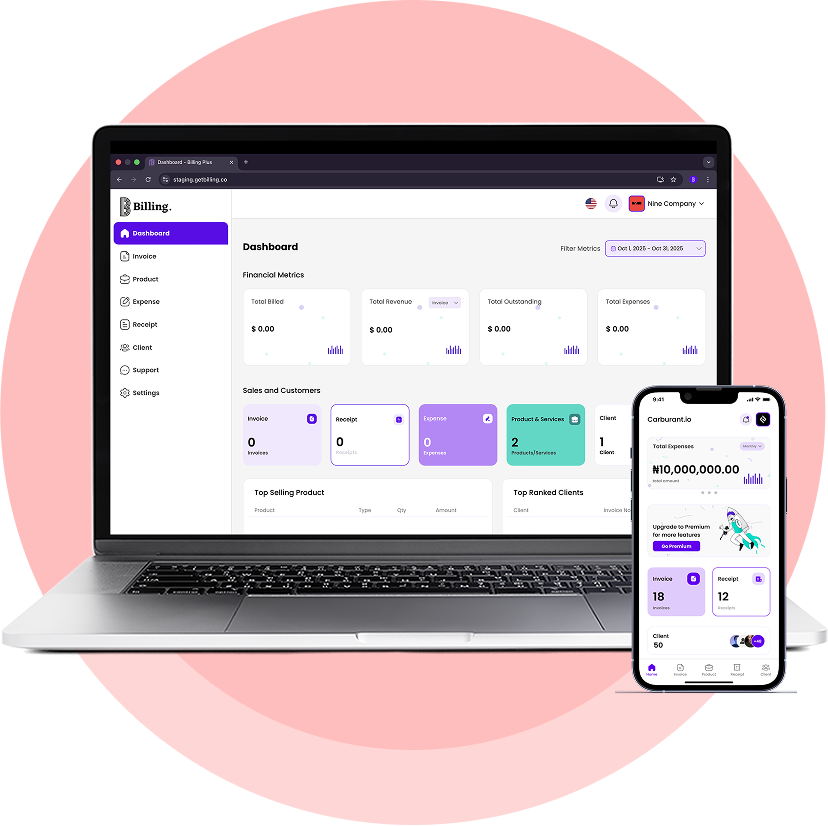
Rechnungen erstellen, Quittungen generieren und Ausgaben verfolgen
Now that you’ve created your business profile, you’re ready to start using the Rechnungsstellung Fakturierung and Receipt App to manage your records efficiently. Generate professional invoices with just a few clicks, keep track of your expenses by recording receipts digitally, maintain a list of your clients and their contact information, and stay on top of Ihr business’s financial health with our reporting tools.
Unsere einfache, faire Preisgestaltung
Wählen Sie den Preisplan, der für Ihr Unternehmen am besten geeignet ist. Kostenloser Forever-Plan. Keine Kreditkarte zum Starten erforderlich.
PreispläneKostenlos
Perfekt für
erste Schritte
$0/für immer
Merkmale:
- Ein Unternehmen
- Standard-Vorlage
- Standard-Vorlagenfarbe
- Mehrere Währungen
- Unbegrenzte Rechnungen
- Unbegrenzte Quittungen
- Unbegrenzte Produkte/Dienstleistungen
- Unbegrenzte Ausgaben
- Geschäft-Analytik
Prämie
Unser Prämie-Plan
für kleine Unternehmen
$10/m
Merkmale:
- Alles in Freiheit
- Unbegrenzte Unternehmen
- Vorlagenauswahl
- Farbe der Vorlage anpassen
- Whitelabel-Rechnungen
- Wiederkehrende Rechnungen
- Links zur Bezahlung
Prämie Plus
Unser Jahresplan
für kleine Unternehmen
$115/y
Merkmale:
- Alles im Prämie-Plan
- A 4.17% Preisnachlass
- Vorrangige Unterstützung
- Früher Zugang zu den Funktionen
Was sagen die Leute über Rechnungsstellung
Unsere Global Wall of Love von Freiberuflern und Geschäftsinhabern, die unsere Plattform nutzen!

Es ist eine wunderbare App, die mir als Freiberufler geholfen hat. Und ich habe sie anderen empfohlen. Machen Sie weiter so.

I can create invoices easier and faster now. This is awesome

Erstaunliche App. Einfach zu bedienen und schnell

Dies ist eine hervorragende App. Die Schnittstelle ist klar und einfach zu navigieren. Mir gefällt auch die Tatsache, dass man seine Unterschrift direkt auf dem Bildschirm erstellen kann, ohne Schwierigkeiten. Hut ab vor den Entwicklern!

This app is so nice and I love it

Die App ist einfach zu bedienen und die Schnittstelle ist sauber

Sehr benutzerfreundliche Schnittstelle funktioniert wie Charme Kudos DM

Ich habe lange nach einer App gesucht, die uns bei der Erstellung von Belegen für unser Unternehmen hilft, bis ich auf Billing gestoßen bin. Das professionelle Aussehen hat mich fasziniert und die Funktionalität ist atemberaubend. Eine Million Credits an den Entwickler.

Ich liebe diese Anwendung

Wirklich einfache und effektive Rechnungs-App. Sie deckt die Grundlagen gut ab. Die Erstellung von Kunden, Rechnungen und Quittungen ist schnell und einfach. Ich bin gespannt, was das nächste Update bringt

Nach der Einführung von LeBelleAmi Billing Rechnung: hat sich meine gesamte Auftragsbearbeitungszeit drastisch reduziert, und ich bin erstaunt, dass ich jetzt mehr als 10 Stunden pro Woche spare.

Es ist eine sehr schöne App, tolle Arbeit bei der Erstellung, ich liebe sie
Häufig Gefragt
Fragen
Alles, was Sie über Rechnungsstellung wissen möchten.
Ist Billing sowohl für iOS- als auch für Android-Geräte verfügbar?
Kann ich Billing für private und geschäftliche Zwecke nutzen?
Unbedingt! Die Rechnungsstellung ist vielseitig und kann für persönliche Finanzen, Freiberufler, kleine Unternehmen und größere Unternehmen verwendet werden.
Kann ich von mehreren Geräten aus auf mein Rechnungskonto zugreifen?
Ja, Billing ist so konzipiert, dass Sie von mehreren Geräten aus darauf zugreifen können. Ihre Daten werden nahtlos mit allen Geräten synchronisiert, sobald Sie sich mit Ihrem Konto angemeldet haben.
Wie erstelle ich eine Rechnung mit Billing?
To create an invoice, open the app, go to the "Rechnung:s" tab, and click on "Rechnung erstellen." Fill in the necessary details like client information, items or services provided, and the due date. Once done, you can preview and send the invoice to Ihr client.
Here's a tutorial on our YouTube channel to assist you. Hier klicken
Sind meine Daten bei Billing sicher und geschützt?
Wir nehmen Ihre Datensicherheit sehr ernst. Für die Abrechnung verwenden wir Verschlüsselung und sicHier Server, um Ihre Informationen zu schützen. Ihre Daten werden sicher in der Cloud gespeichert, und wir befolgen die branchenüblichen Best Practices für deren Schutz.

 English
 Arabic
 Spanish
 French
 Dutch
Dutch Italian
 Portuguese
 Swahili