 Arabic
 Spanish
 French
 Dutch
Dutch German
 Italian
 Portuguese
 Swahili
An AI invoice generator that works like a sentence
Type the job the way you'd say it out loud. Bella fills in the invoice form and hands it back for you to check. Inside Billing Plus, on the web and in the app.
5 free messages on any account, then upgrade to Premium to keep chatting.
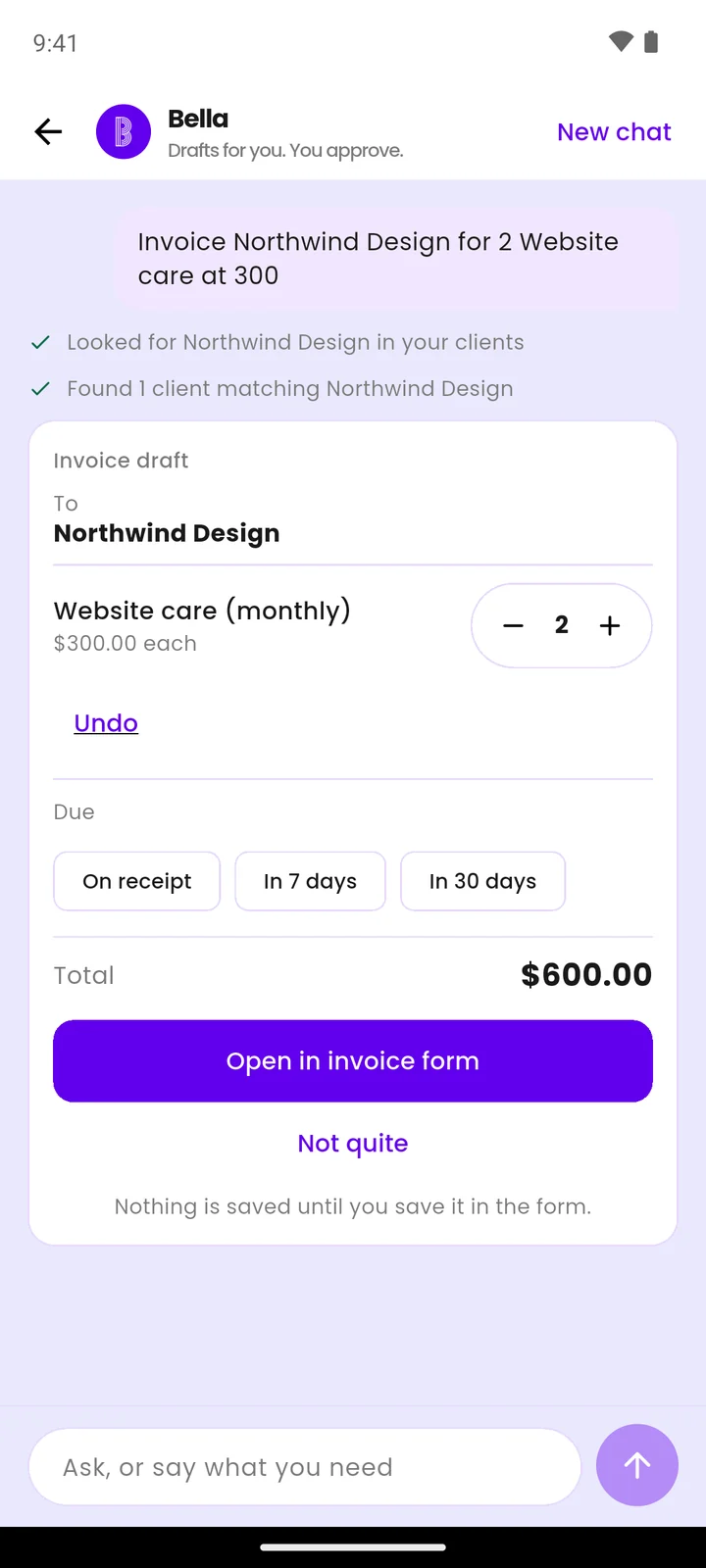
Write it like a text message
No fields to tab through and no template to pick. Write who it's for, what you did and what it costs. Bella works out the rest from your own clients and products.
One sentence in, a real draft out
Not a PDF you can't edit. It opens in the same invoice form you'd have filled in by hand, with everything already in place.
You type
“Invoice Acme for 2 web design at 300”
Bella drafts
Change anything you like before saving. Nothing is saved until you save it, and nothing is emailed until you tap send.
Why a draft, and not a finished invoice
An invoice is a document you're asking someone to pay. The number has to be right, and you're the one who knows whether it is.
You type one line
"Invoice Acme for 2 web design at 300." Put several items in one sentence and each becomes its own line.
Bella fills the form
Client, items, quantities, rates and total — in the same invoice form you’d have filled in by hand.
You check and save
Fix the bit only you would know. Nothing is saved until you save it.
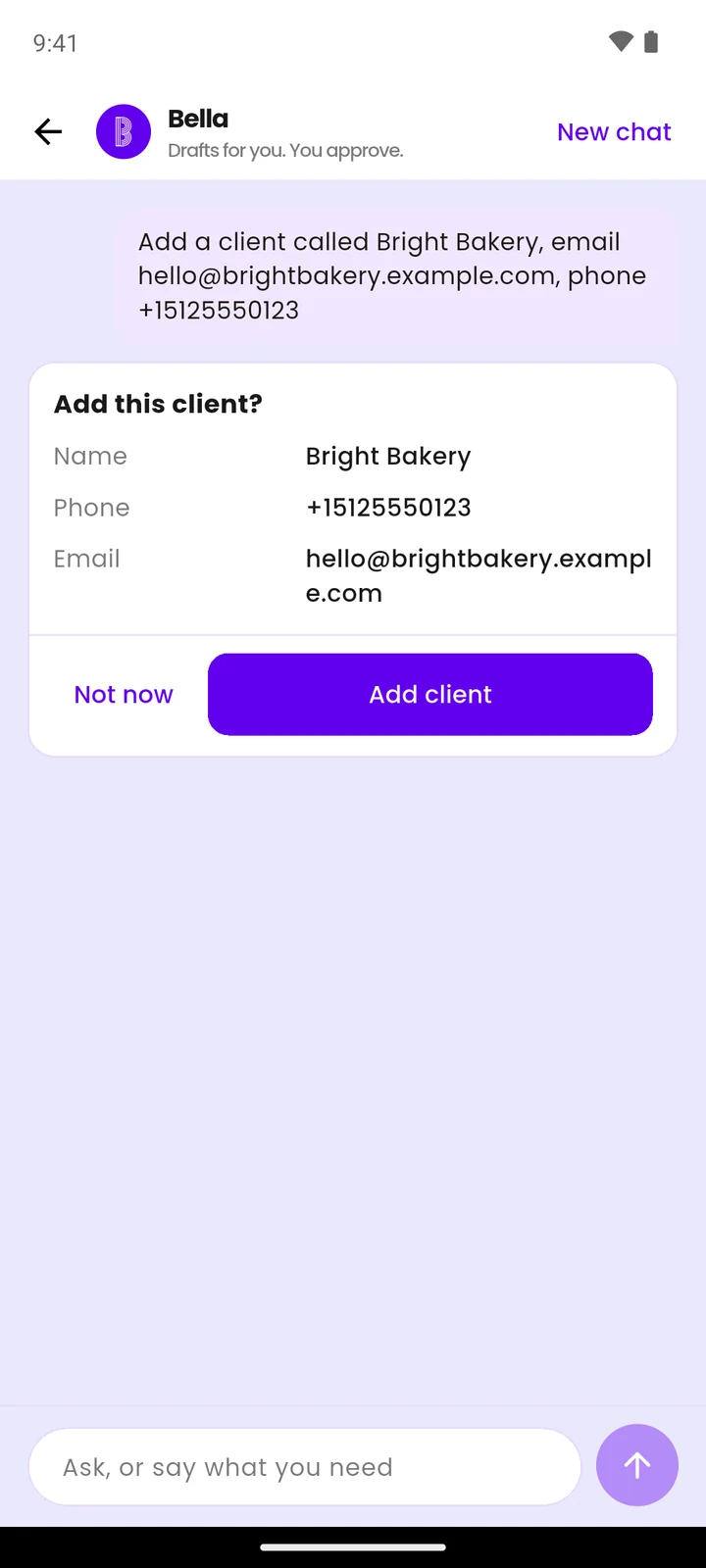
Adding a client, adding a product, logging an expense and emailing an invoice all show you a card first.
Straight answers, before you ask
The honest edges, so nothing surprises you later.
Nothing saves itself
The draft sits in the form until you save it. Close it and nothing happened.
Not your accountant
No tax worked out for you, no bank statements read, and no advice on either.
Your business only
Bella sees the account you're signed in to, and nothing outside it.
No guessing
If it isn't clear which client you meant, Bella asks rather than inventing one.
What it costs
Bella is part of Premium. The free invoice maker on this site needs no account at all.
Monthly
$10
a month, stop whenever you like
Yearly
$99
a year, which is two months free
Every account gets 5 free messages, so you can draft a real invoice before paying for anything. Prefer not to sign up? Use the free invoice maker.
More ways to get paid faster
Questions about the generator
What people ask before typing their first invoice.
Can AI create an invoice for me?
It can do the typing. Describe the job in one sentence — who it's for, what you did, what it costs — and Bella fills in the invoice form: client, line items, quantities, rates and total. You check it and save. The part a machine shouldn't do on its own, deciding that the amount is right, stays with you.
What do I type to create an invoice?
Plain words. "Invoice Acme for 2 web design at 300" works. So does "Bill Ada 50,000 for the October retainer". You can include several items in one sentence and each becomes its own line.
Does it save or send the invoice automatically?
No. The draft opens in the normal invoice form and is saved only when you save it. Emailing is separate again — you see a card showing what's going out and to which address, and it sends only when you tap.
Can I edit the draft?
Yes, all of it. It's the same form you'd have filled in by hand, so every field, line item, date and note can be changed before you save.
Is there a free AI invoice generator?
Every Billing Plus account gets 5 free messages with Bella, once, which is enough to draft a real invoice and see how it works. After that Bella is part of Premium, $10 a month or $99 a year. If you'd rather not sign up at all, the free invoice maker on this site makes a PDF invoice with no account.
Does it handle other currencies?
Billing Plus supports multiple currencies, and the currency is set on the invoice itself. A Bella draft uses your account's default currency, so change it in the form if that particular client is billed in another.
Describe the job. Get the invoice.
One sentence, one draft, one check. Five messages free on any account.
Open Billing PlusFree forever plan, no card needed to start.