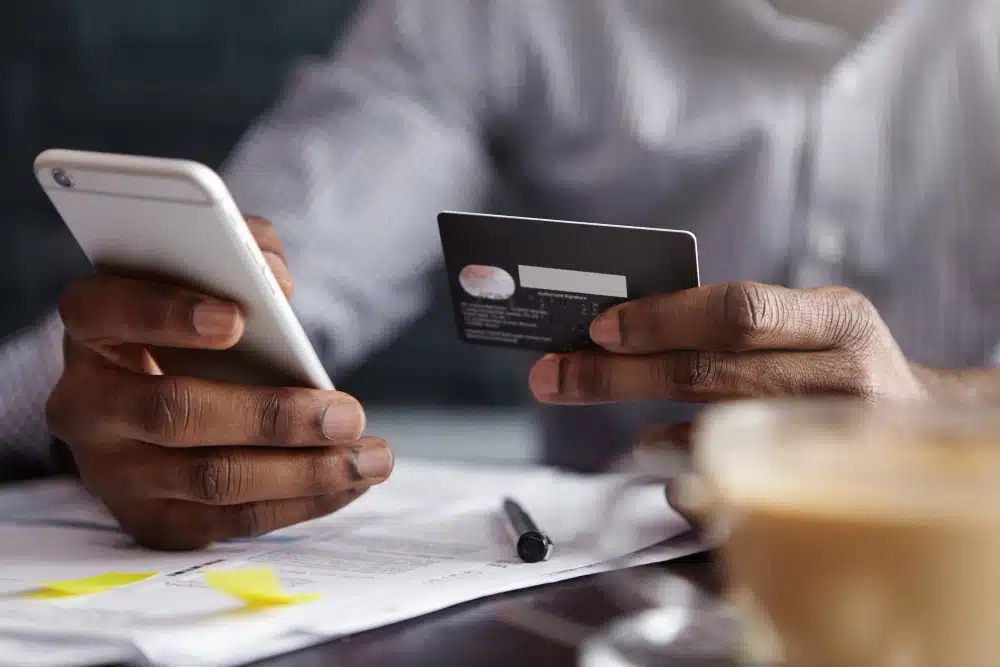

Billing Plus a vu le jour pour permettre de créer une facture en dix secondes. C’est toujours le cas. Mais bien des nouveautés ont été ajoutées depuis ; si vous n’avez pas ouvert l’application depuis quelques mois, vous passez à côté de l’essentiel. Billing+ gère désormais votre comptoir et vos stocks, relance vos impayés à votre place et accepte les paiements via sept passerelles différentes. Voici un tour d’horizon des nouveautés, de leurs fonctionnalités et des tarifs.
Point de vente : votre téléphone fait office de comptoir
Vous tenez une boutique, un stand, un fauteuil de salon ou une table sur un marché le week-end. Quelqu'un s'approche avec un article. Jusqu'à présent, cette vente restait dans votre tête jusqu'à ce que vous la notiez plus tard — si tant est que vous preniez la peine de le faire.
P.O.S. transforme votre téléphone en caisse enregistreuse. Scannez un code-barres ou appuyez sur le produit pour l'ajouter au panier. Le paiement peut s'effectuer en espèces, par carte, par virement, par mobile money ou par QR code. Le reçu est généré automatiquement et votre stock diminue d'une unité.
Deux détails qui comptent lors d'une journée bien remplie :
- Organisez une vente. Un client hésite encore alors que trois personnes attendent derrière lui. Mettez la vente en attente, servez la file, puis revenez-y.
- Imprimez si vous voulez du papier. Billing+ imprime sur des imprimantes thermiques de tickets de 58 mm et 80 mm ; ainsi, le client qui souhaite un reçu papier en obtient un.
Stocks : ne soyez jamais en rupture et connaissez toujours votre marge.
Votre catalogue de produits constitue votre inventaire. Pas de seconde liste, pas de ressaisie des mêmes quarante articles dans une autre application.
Les niveaux de stock se mettent à jour en temps réel lors des ventes au comptoir et de la facturation pour les produits dont le suivi est activé. Activez le suivi pour les articles que vous inventoriez réellement. Laissez-le désactivé pour les services.
Ce que vous obtenez une fois le produit appliqué :
- Alertes de stock faible et seuils de réapprovisionnement : vous êtes informé avant que le rayon ne soit vide, et non après.
- Les prix de revient, pour connaître votre marge sur chaque vente, et pas seulement votre chiffre d'affaires.
- La lecture de codes-barres avec une précision multi-images et l'importation par lots d'une centaine de produits ne prennent que quelques minutes, et non la journée entière.
- Réapprovisionnement à partir des dépenses : enregistrez les fournitures achetées comme une dépense et votre stock augmentera automatiquement.
Bon à savoir : Votre catalogue de produits reste gratuit, quelle que soit la formule choisie. En revanche, la gestion des stocks en temps réel — le comptage, les alertes, les marges — est incluse dans l'offre Premium.
Liens de paiement : vous l'envoyez, ils le consultent, ils paient.
Le problème le plus ancien des petites entreprises ne réside pas dans la création de la facture, mais dans le décalage entre son envoi et la réception du paiement.
Générez un lien de paiement pour n'importe quelle facture et partagez-le via le canal de communication utilisé par votre client, qu'il s'agisse de WhatsApp, d'e-mail ou de messages privés Instagram. Aucun site web n'est requis. Vos clients peuvent régler par virement bancaire, carte, mobile money ou QR code, et les fonds sont directement versés sur votre compte de paiement. Billing+ n'intervient jamais dans le flux de vos fonds.
Billing+ prend en charge sept passerelles de paiement, notamment Paystack, Flutterwave, Monnify, OPay, Stripe, GoCardless et PayPal. Ainsi, le client à Warri comme celui à Toronto disposent tous deux d'un moyen de paiement qui leur est familier.
Un seul lien. Sept modes de paiement.
Relances de paiement automatisées : cessez de jouer les méchants
Personne n’aime envoyer un troisième message du type « je reviens vers vous à ce sujet ». C’est une situation gênante et lassante ; la plupart des gens finissent par abandonner discrètement dès le deuxième message, ce qui explique précisément pourquoi certaines factures restent impayées.
Billing+ se charge désormais des relances. Le logiciel envoie des e-mails à votre client avant, le jour même et après l'échéance, en utilisant un message que vous rédigez vous-même. Prévisualisez-le, envoyez un test vers votre propre boîte de réception, puis laissez le système fonctionner en toute autonomie.
Vous restez le professionnel qui a envoyé une facture polie. L'application se charge des relances.
Enregistrer un paiement : vos livres correspondent à votre banque
De nombreux clients continuent de payer comme ils l'ont toujours fait : en espèces ou par virement direct sur votre compte. Cet argent est bien réel, mais s'il n'est jamais enregistré, votre liste de factures indique une chose tandis que votre relevé bancaire en indique une autre.
Enregistrez un paiement pour une somme reçue en dehors de l'application en l'associant à la facture correspondante.
Tout l'intérêt réside dans les paiements fractionnés. Le client règle la moitié de la somme immédiatement et le solde à la livraison ; vous enregistrez l'acompte aujourd'hui, puis le solde une fois reçu. Chaque versement génère un reçu rattaché à la facture : vous pouvez l'envoyer au client d'une simple pression ou le conserver en attente jusqu'à ce qu'il le réclame. Une fois la facture intégralement réglée, Billing+ génère le reçu définitif.
À noter : les rappels continuent tant qu'un solde reste dû ; un paiement partiel ne suffit donc pas à les interrompre. Ils cesseront une fois le paiement final enregistré.
Envoyez une facture directement par e-mail.
Si l'adresse e-mail de votre client est enregistrée, l'envoi se fait désormais en un seul clic. Plus besoin de télécharger un PDF, de basculer vers votre application de messagerie ou de chercher la pièce jointe sur votre téléphone : il suffit d'appuyer sur « Envoyer » pour que la facture arrive dans sa boîte de réception.
Tout le reste fonctionne comme avant : envoyez vos messages par SMS, WhatsApp ou Instagram, selon le canal que votre client utilise réellement pour vous répondre.
Quoi d'autre a atterri en douceur ?
- Un véritable mini-CRM. Chaque client dispose désormais de sa propre vue d'ensemble financière : les montants facturés et réglés, l'historique des activités, vos notes privées ainsi qu'un classement de vos meilleurs clients. Vous serez probablement surpris de découvrir qui occupe réellement la première place.
- Des dépenses qui s'enregistrent automatiquement. Prenez une photo de votre reçu et l'IA se charge de la saisie. Les dépenses récurrentes sont enregistrées automatiquement selon un calendrier, et des catégories vous sont suggérées au fur et à mesure de la saisie.
- Factures récurrentes pour les clients que vous facturez du même montant chaque mois.
Qu'est-ce qui est gratuit et qu'est-ce qui est premium ?
| Gratuit pour toujours | Prime |
| Une entreprise, factures illimitées, reçus illimités, produits et services illimités, dépenses illimitées, multi-devises, analyses commerciales, modèle par défaut | Tout ce qui est inclus dans l'offre gratuite, plus le système de point de vente (POS), la gestion des stocks, les liens de paiement, les rappels de paiement, la facturation récursive, un nombre illimité d'entreprises, le choix de modèles et de couleurs, ainsi que la facturation en marque blanche. |
L'abonnement Premium coûte 10 $ par mois, ou 99 $ par an si vous préférez payer en une seule fois et ne plus avoir à vous en soucier. Aucune carte bancaire n'est requise pour commencer avec la version gratuite, et rien de ce que vous avez déjà créé ne sera supprimé.
Si vous vous demandez quel prix facturer, quel montant provisionner ou à quoi ressembleront réellement vos marges une fois les taxes prises en compte, notre Calculateur d'impôts pour le Nigeria vous fournit une estimation en quelques secondes. Il s’agit d’un outil d’estimation, et non d’un outil de déclaration ; consultez votre comptable au sujet de votre situation personnelle.
Comment est-ce que j'allume tout ça ?
Mettez à jour l'application, ouvrez votre commerce, et le tour est joué ! Si vous utilisez la version gratuite, passez à la version supérieure directement depuis l'application : le système de point de vente, la gestion des stocks, les liens de paiement et les rappels seront immédiatement activés. Les liens de paiement nécessitent… une étape supplémentaire: connectez votre compte de passerelle de paiement une seule fois, et toutes les factures suivantes incluront un bouton de paiement.
Gérez votre entreprise avec clarté, et non dans le chaos.
Factures, reçus, dépenses, stocks et caisse : tout cela dans une seule application, sur le téléphone que vous avez déjà dans la poche.